Brandkit - The Brand Toolkit Platform
Quick Walkthrough
Start Tour
Why Brandkit?
How it works
DAM
CMS
Visual Search
AI
AI Chatbot (Brand-bot)
All Features
Use Cases
Customer Case Studies
Integrations
Custom Design
Website Design & Build
Brand Safe™
Single Source of Truth
UGC (User Generated Content)
Everything in one place
What's new?
Brandkit Platform Tour: Multiple Portals
Multiple Portals - Serve every audience like they were the only audience
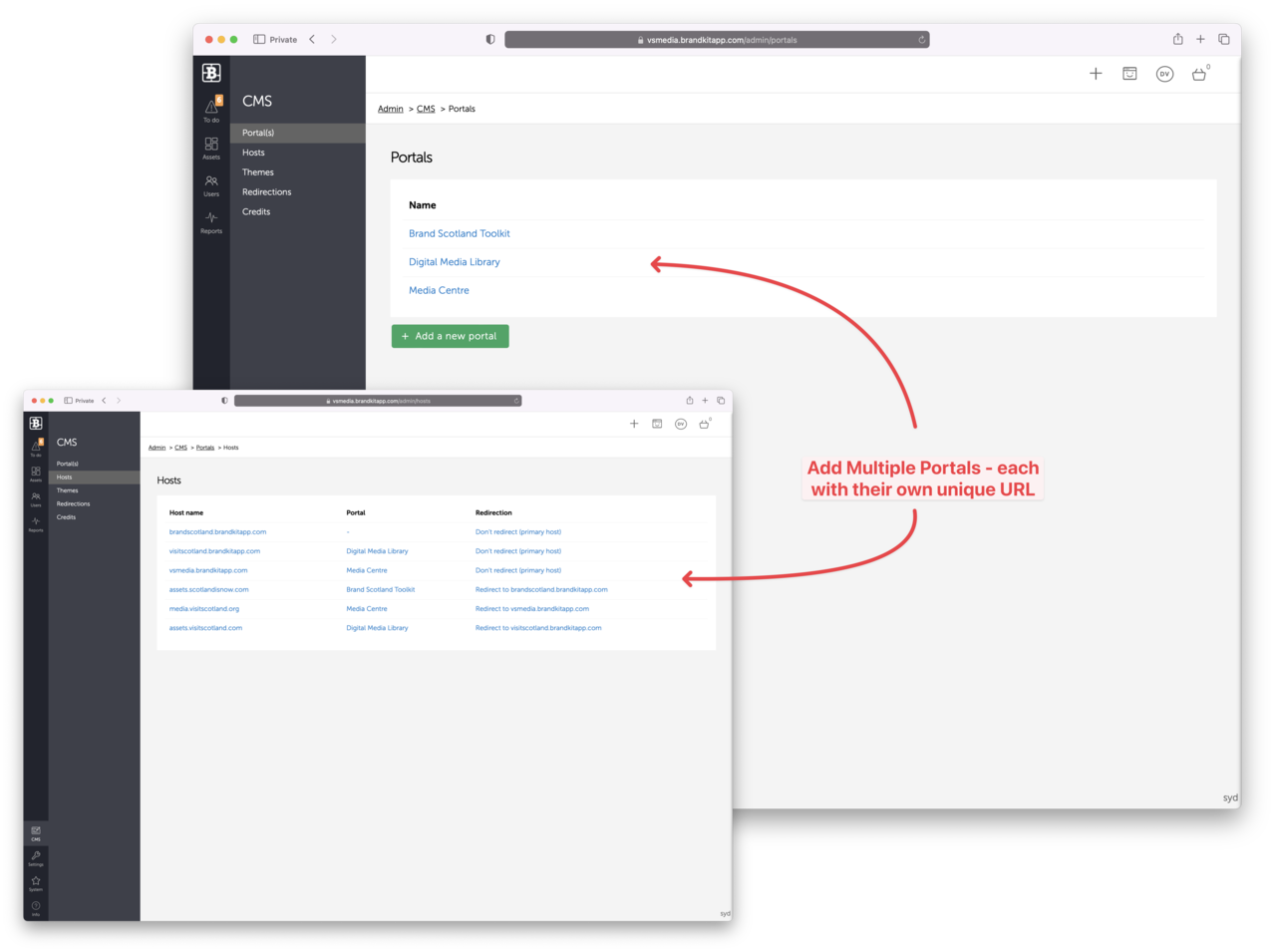
Multiple Brand Portals is a unique feature of Brandkit. It's available as an optional configuration for some accounts. It provides an option for customers to offer a unique bespoke Brand Portal for each unique audience (e.g. Staff, Trade, Media, etc) complete with its own unique URL (e.g. trade.acme.com).
How it works
Brandkit accounts can support multiple portals from the same core set of digital assets in the DAM. Typically each Portal has it's own unique set of Assets selected for each Portal, This is done through creating an Album to subset the Assets - usually based on a Tag (e.g. Retail Portal, Trade Portal, etc).
This means that an Asset can selectively appear in one or multiple Portals, by adding the appropriate Tag.
- Create a new Portal
- Add a new Host record
- Add a DNS record (such as a sub-domain) pointing at the Host
- Customise your new Portal
- Select the Assets to appear in the new Portal using an Album
- Send Users to the new URL (users can use their existing User Accounts if they are registered in the other Portals of the same account)
E.g this could be a unique portal for trade partners vs customers vs journalists.


