Brandkit Platform Tour: Visual Search Engine & Search Page
Visual Search Engine
All the world's your brand content at your fingertips.
Forget Google or Bing, nix Spotlight. There's a better way to find your brand content. The better way starts with Brandkit -a dedicated visual search engine for your brand.
It's the fastest way to your content.
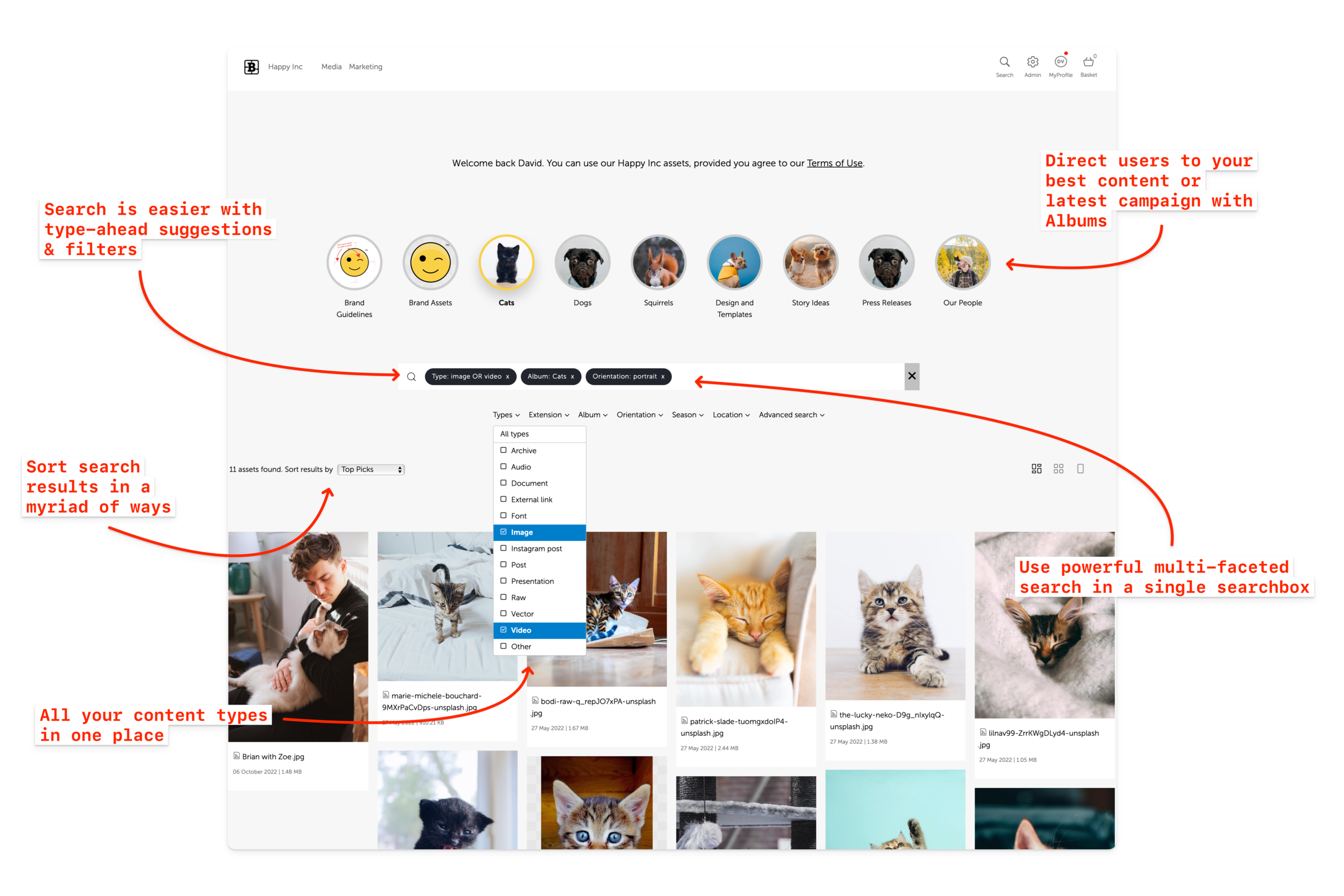
Screenshot of a demo Search page
20% of an employee's time is spent looking for information. This is like hiring five people and having one person never show up for work.
Source: McKinsey Global Institute, The Social Economy
Forget Google and Bing and, nix Spotlight. There's a better way to find your brand content.
The better way starts with Brandkit™ and your own branded Search Page. It's the fastest way to find your brand content; Provide users with a public or private search page dedicated to your content, and only your content and powered by your content. Use menus, links, albums (collections) and a search box with multi-faceted search, a variety of filters and sort options to find all your content; all in one place.
Resulting in beautiful visual search results grid, where your content is the star of the show.
Multi-faceted keyword search
Multi faceted search is an important feature in Brandkit.
It allows users to combine several search terms and filters in a single search to refine the results.
You can combine normal tags with asset type and orientation to get a short list of the best results.
For example: "Type:Image, Tag:Squirrel, Orientation:Portrait or Landscape" - There are numerous combinations possible.
Another example: "Tag:People, Tag:Outdoors, Type:Image or Video"
etc
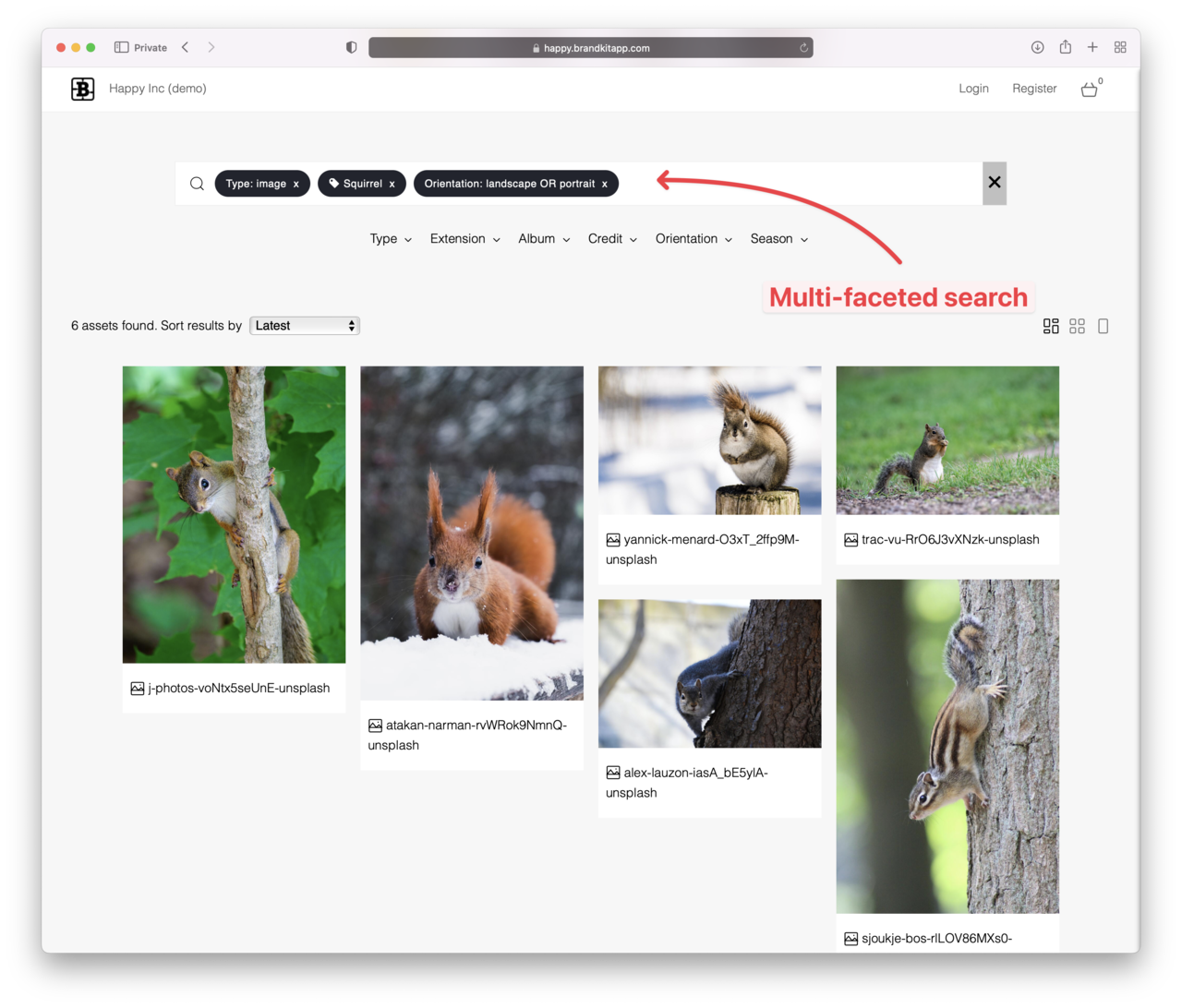
(Fig: Screenshot of Multi-faceted search in Brandkit)
Semantic Search
(aka Natural Language Search)
With addition of automatcally generated AI descriptions and tagging of images, video and knowledge assets —plus the creation of "search vector" representations of Asset data, we offer AI powered Natural Language Search (aka Semantic Search), that finds Assets and sorts them by relevance to your natural language search query.

(Fig: Example of a Natural Language Search with a semantically matched result)
Learn more about Semantic Search
Chatbots and MCP
In addition to Multi-faceted Search, and Semantic Search, there are additional options to search via our integrated BrandBots (Chatbots - that understand your Brandkit data), or inside your preferred frontier AI models such as ChatGPT, Claude, Gemini, etc via Brandkit MCP (LLM integration).
Your users can then ask questions about your brand and brand resources: e.g. Find photos of waterfalls, How to message and stay on brand. Which Assets they can use for project x?, What is the brand's colour palette?, What is right tone of voice?, etc

(Fig: Screenshot of a BrandBot conversation in Brandkit)

(Fig: Screenshot of a similar conversation in Claude)
At Brandkit, we use the same chat bot functionality for our own support bot available to Brandkit Admin users to find answers about th Brandkit platform, features, functions, how-tos, best practices and pro-tips - to help make you into a Brand and Digital Asset Management guru.