


What's the best approach for naming, describing and tagging my Assets? With Examples
Why does proper asset naming and tagging matter?
Well-structured asset metadata ensures your team (and external users, partners, etc) can find what they need quickly, improves SEO performance when assets are published, and makes your DAM system work effectively with AI-powered search tools. Poor metadata means wasted time, duplicate assets, and missed opportunities.
What makes a good asset filename?
Good filenames are descriptive, consistent, and human-readable. They should communicate what the asset is at a glance, without requiring you to open it.
Poor example:
IMG_4829.jpg
Good example:
brandkit logo primary horizontal rgb.png
AI-optimised example:
brandkit software logo primary horizontal rgb transparent background 2024.png
Use spaces between words, include key descriptors, and maintain a consistent naming convention across your library. The AI-optimised version includes contextual terms that help both humans and AI understand the asset's purpose and technical specifications.
How should I write asset descriptions?
Write descriptions for humans first, search engines second. Focus on context, use cases, and specific details that aren't obvious from the filename alone.
Poor example:
Product photo
Good example:
Brandkit primary logo in horizontal orientation. RGB colour space for digital use. Transparent background suitable for light and dark layouts.
AI-optimised example:
Brandkit's primary brand logo in horizontal orientation, designed for digital marketing materials, presentations, and website headers. Features RGB colour space optimised for screen display with transparent background, making it suitable for placement on both light and dark backgrounds. This is our main corporate identifier for 2024 brand guidelines. Use for: email signatures, social media profiles, website navigation, PowerPoint presentations, and digital advertisements. Dimensions: 2400×800px.
The AI-optimised version answers questions before they're asked: What is it? When should I use it? Where does it work best? What are the technical specs? This helps AI assistants provide better recommendations and helps your team make confident decisions.
What's the difference between tags and metadata?
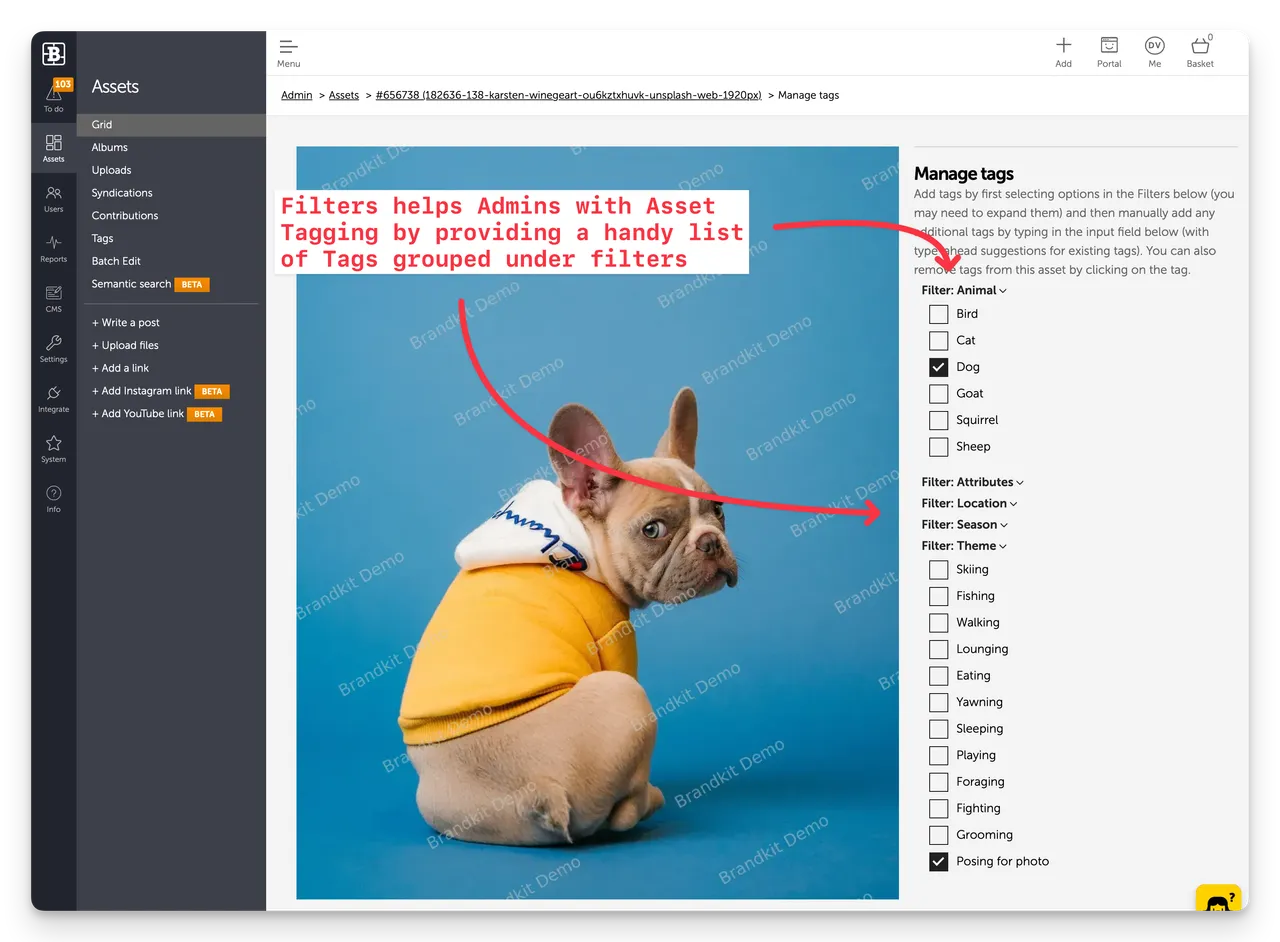
Tags are flexible, user-defined keywords that describe content, themes, and use cases. Metadata fields in Brandkit include structured information like Licence, Credit, Usage Note, Expiry Date, location data (Placename, City, Region, Country), Additional Reference for product IDs or photographer references, and status controls that help manage asset lifecycles and permissions.
How do I choose effective tags?
Layer your tags across three categories:
- What it is (content type): logo, photo, illustration, template, video
- What it's about (subject/theme): product launch, team culture, sustainability, Christmas campaign
- How it's used (application): social media, print advertising, internal comms, sales presentation
Poor tagging:
image, file, 2024
Good tagging:
logo, horizontal, primary brand, digital use, transparent
AI-optimised tagging:
brand identity, primary logo, horizontal lockup, digital optimised, rgb colour space, transparent background, corporate communications, email signature approved, presentation ready, on brand 2024, all backgrounds, high resolution
The AI-optimised approach combines specific technical attributes with use-case scenarios and approval status, making semantic search far more powerful.
What is semantic search and why does it matter?
Semantic search understands intent and context, not just keyword matching. When someone searches for a logo for dark background email signature, a semantically-aware DAM can find the right asset even if those exact words don't appear in the filename.
This works best when your descriptions and tags include:
- Natural language (how people actually talk about assets)
- Use cases (where and how the asset should be used)
- Context (why it exists, what campaign or project it belongs to)
- Technical requirements (dimensions, colour modes, file formats)
How should I use Brandkit's metadata fields?
Licence: Specify usage rights clearly (e.g., Royalty free use worldwide in paid or unpaid media, provided any use benefits Brandkit Ltd)
Usage Note: Provide specific guidance on approved applications (e.g., Approved for digital channels only. Not suitable for print due to resolution.)
Credit: Always attribute photographers, designers, or agencies (e.g., Photography by Jane Smith Studio)
Additional Reference: Use for product SKUs, model numbers, or photographer job references (e.g., SKU: ECH-002-BLK or Photographer ref: JS-2024-1089)
Expiry Date: Set for time-sensitive assets like promotional materials, model releases, or licensed stock imagery
Status: Use Draft for work-in-progress, Active for approved assets, Archived for superseded versions
Weighting & Weighting Reason: Boost important assets in search results (e.g., Weighting: High, Reason: Current brand identity primary logo - prioritise in all logo searches)
Location fields: Use Placename, City, Sub-region, Region, and Country for photography to enable location-based searches
Example
Product Photography Asset
Poor metadata:
- Asset Name:
DSC_0892.jpg - Description: Product photo
- Tags: photo, product
- Status: Active
- Credit: (empty)
- Usage Note: (empty)
- Additional Reference: (empty)
Good metadata:
- Asset Name:
echo speaker black front view white background.jpg - Description: Echo wireless speaker in black finish, front-facing view on white seamless background. Professional product photography suitable for e-commerce and marketing materials.
- Tags: product photography, echo speaker, black finish, front view, white background, ecommerce ready, marketing approved
- Status: Active
- Credit: Smith Photography Studio
- Usage Note: Approved for digital and print use. High resolution suitable for product pages with zoom.
- Licence: Royalty free use worldwide in paid or unpaid media, provided any use benefits Echo Audio Ltd
- Additional Reference: SKU: ECH-002-BLK
AI-optimised metadata:
- Asset Name:
echo wireless speaker gen2 black front angle white seamless bg ecommerce 4000px.jpg - Description: Echo Gen 2 wireless Bluetooth speaker in matte black finish, photographed from front-facing angle on white seamless background. Professional studio photography with soft lighting to minimise harsh shadows. Optimised for e-commerce product pages, digital catalogues, social media marketing, and print advertising. Speaker shown at 45-degree angle to display both front controls and side profile. High-resolution 4000px width suitable for zoom functionality on product pages. Colour-accurate representation of black matte finish.
- Tags: product photography, echo speaker, generation 2, wireless bluetooth speaker, matte black finish, front angle view, white seamless background, ecommerce optimised, high resolution, zoom enabled, studio lighting, shadow free, product page ready, social media approved, print suitable, colour accurate, consumer electronics, audio products, Q4 2024 campaign
- Status: Active
- Credit: Smith Photography Studio
- Usage Note: Primary product image for Echo Gen 2 black variant. Approved for all marketing channels including e-commerce, social media, print catalogues, and advertising. Colour-accurate for online merchandising. 4000px resolution enables zoom functionality. Use this as hero image for product pages.
- Licence: Royalty free use worldwide in paid or unpaid media, provided any use benefits Echo Audio Ltd
- Release Date: 15 Oct 2024
- Weighting: High
- Weighting Reason: Primary hero image for flagship product launch Q4 2024
- Additional Reference: SKU: ECH-002-BLK | Photographer ref: SPS-2024-Q4-037
Quick tips for implementation
Be consistent: Establish naming conventions and stick to them across your entire team.
Think like your users: What questions will people ask? What terms will they search for?
Use Status wisely: Keep Draft assets separate from Active ones. Archive superseded versions rather than deleting them.
Leverage Weighting: Boost your most important or current assets so they appear first in search results.
Complete Usage Notes: This is where you provide the practical guidance your team needs to use assets correctly and confidently.
Link products with Additional Reference: Use this field to connect assets to product SKUs, making it easy to find all imagery for a specific product.
Date intelligently: Use Release Date for campaign launches and Expiry Date for time-sensitive materials like promotions or assets with expiring licences.
Review and refine: Audit your most-searched terms quarterly and update your tagging strategy based on how your team actually works.
Remember: Time spent on proper asset metadata is time saved every single day your team searches for files. In a well-organised DAM, the right asset should be findable in seconds, not minutes.
What's the best approach for naming, describing and tagging my Assets? With Examples.
Learn best practices for naming, describing and tagging digital assets in your DAM. Discover how AI-optimised metadata improves search, reduces duplicates and helps teams find files faster with semantic search and smart tagging strategies.


