Q. How can I see current storage and usage in Brandkit?
If you are already a customer of Brandkit, provided you have Admin access, you can see how much storage space and traffic (aka Usage) you are using in your Brandkit account in the Reports module in Admin.
- Navigate to Admin > Reports > Content Analytics
- Here you will see a snapshot of your current Assets, Storage, and Users. Below that you will see a barchart showing your Usage over time.
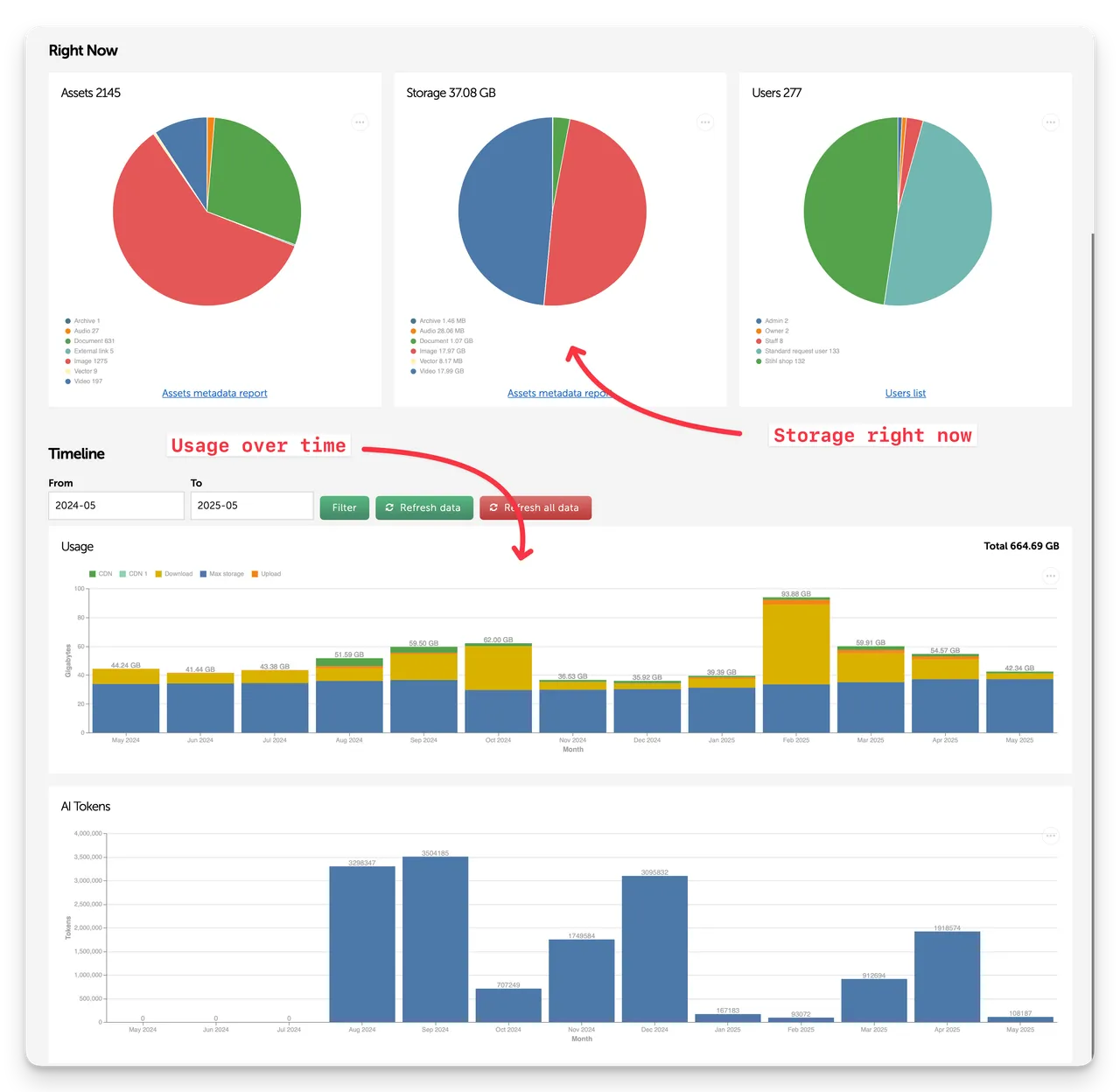 (Fig: Example Content Analytics Dashboard)
Happy branding :)
Q. How can I see current storage and usage in Brandkit?
If you are already a customer of Brandkit, You (provided you have Admin access) can see how much usage (storage plus uploads, downloads and CDN traffic) you are using in your Brandkit account...