


Q. How do I embed an image or video?
Admins can embed images and videos uploaded to your Brandkit account in other websites, emails, etc.
(Note: Embed options are available to users with Admin access only)
Requirements and Setup
- Embeds must be enabled in your account.
- Embeds are currently availabe for Image and Video Asset Types only
- Embeds use Conversions for Images - so you must setup your Conversions first in Settings > Conversions
- Embeds of Videos always use the 720p.mp4 preview video we auto-generate.
Here's how to embed images
- Navigate to the Asset's page in Admin
- Click the Embed button
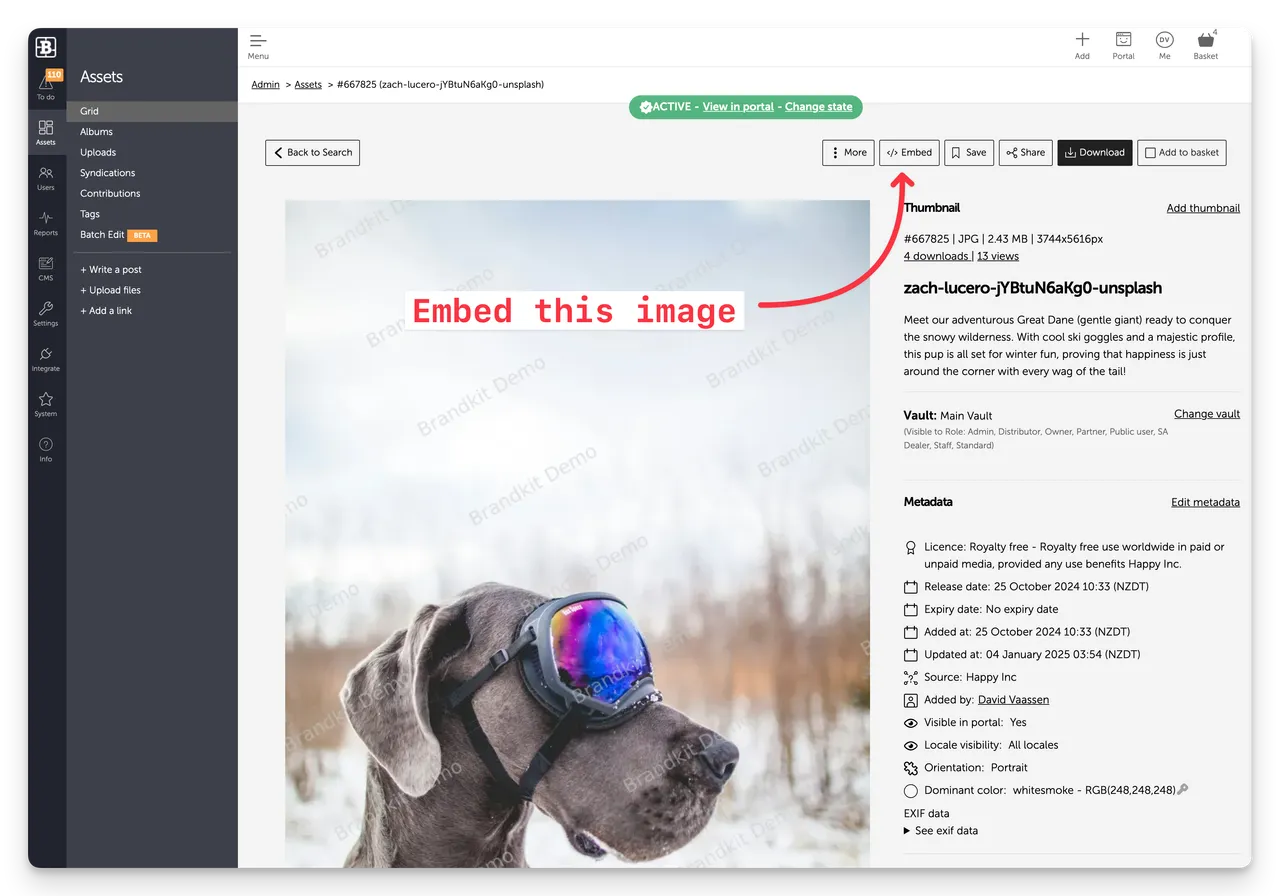
- Choose the preferred conversion (aka Image size and file format to embed)
- After choosing a conversion wait until the image is generated and shown, then copy the image URL or the HTML code block and paste into your website or email, etc)
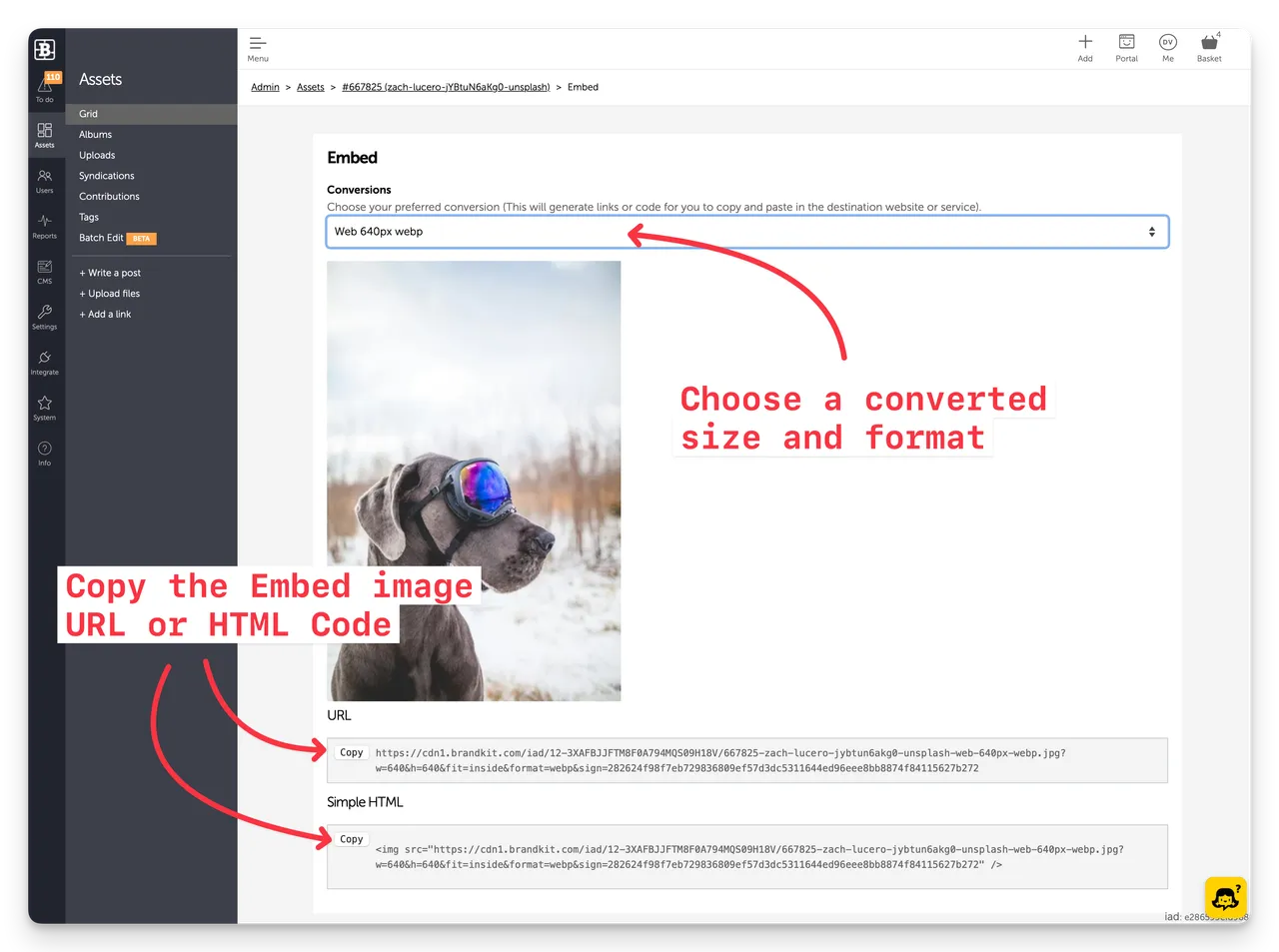
(Note: The screen-shots on this web page are all embeds)
Here's how to embed Video
- Navigate to the Asset's page in Admin
- Click the Embed button
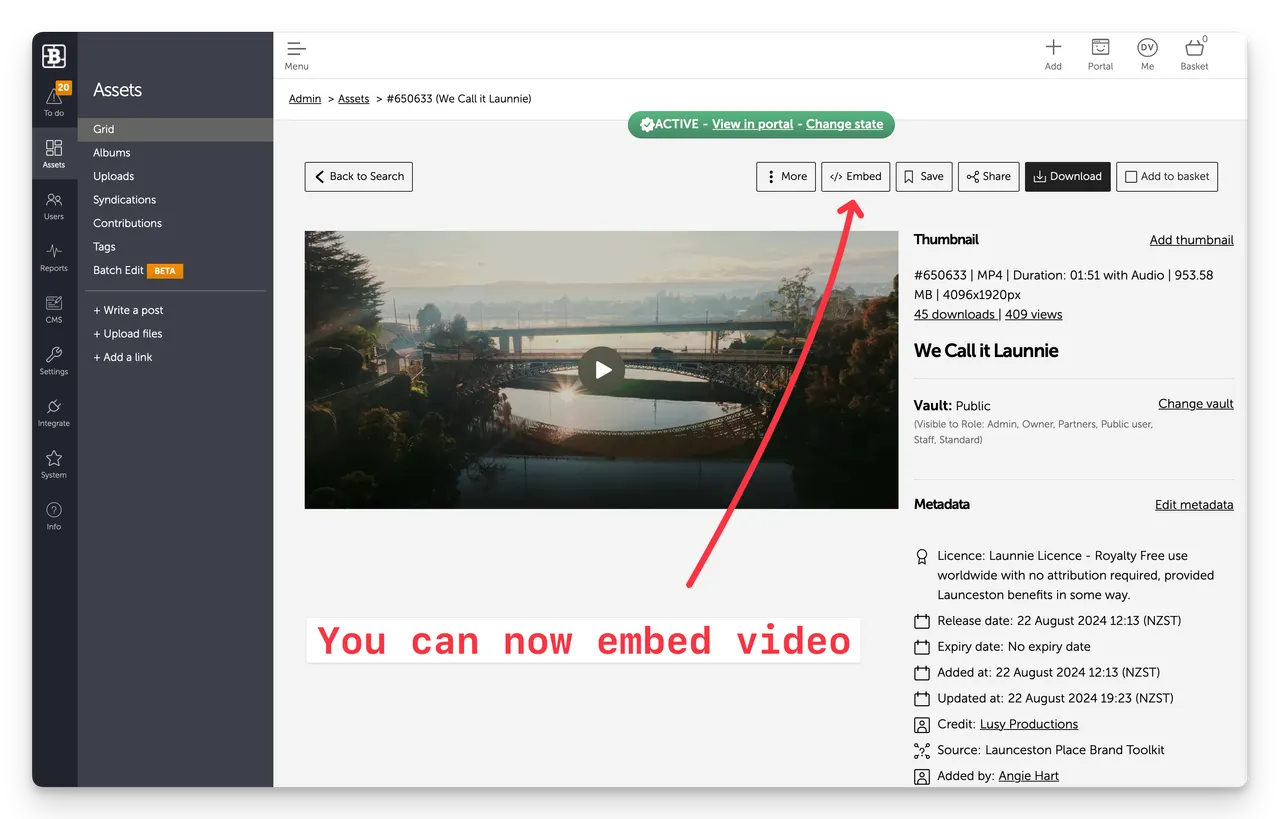
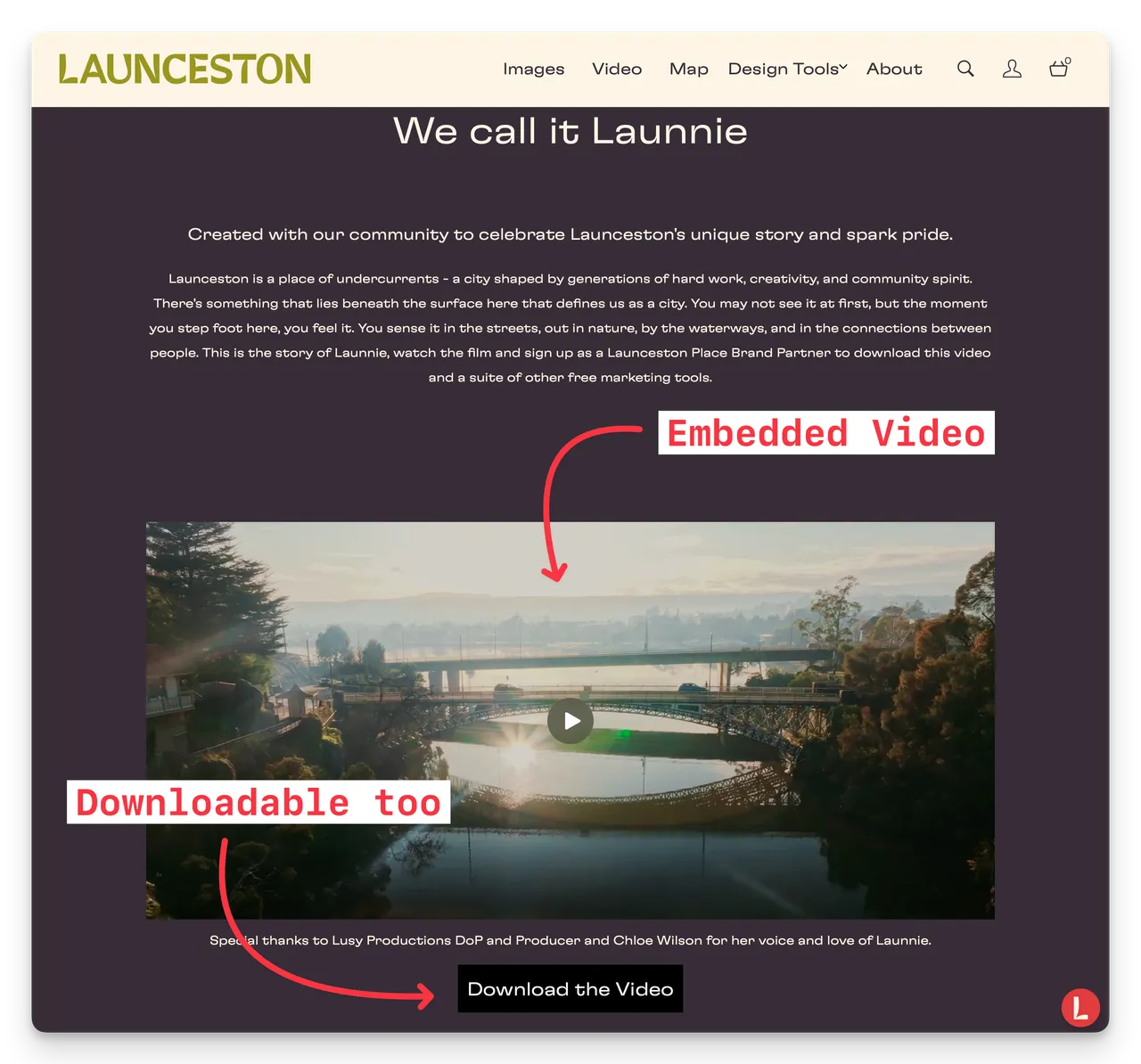
- Copy the Video URL or the HTML code block and paste into your website or email, etc.
Reporting
Embeds (both image or video) use our Brandkit CDN to deliver images and video globally across our content delivery network (powered by AWS Cloudfront). Providing low latency, low cost and high performance across the globe.
We report of this CDN activity in your Brandkit dashboard's Timeline. CDN usage is shown separately in green and there are dedicated CDN's for Video (CDN2) and Image Conversions (CDN1)
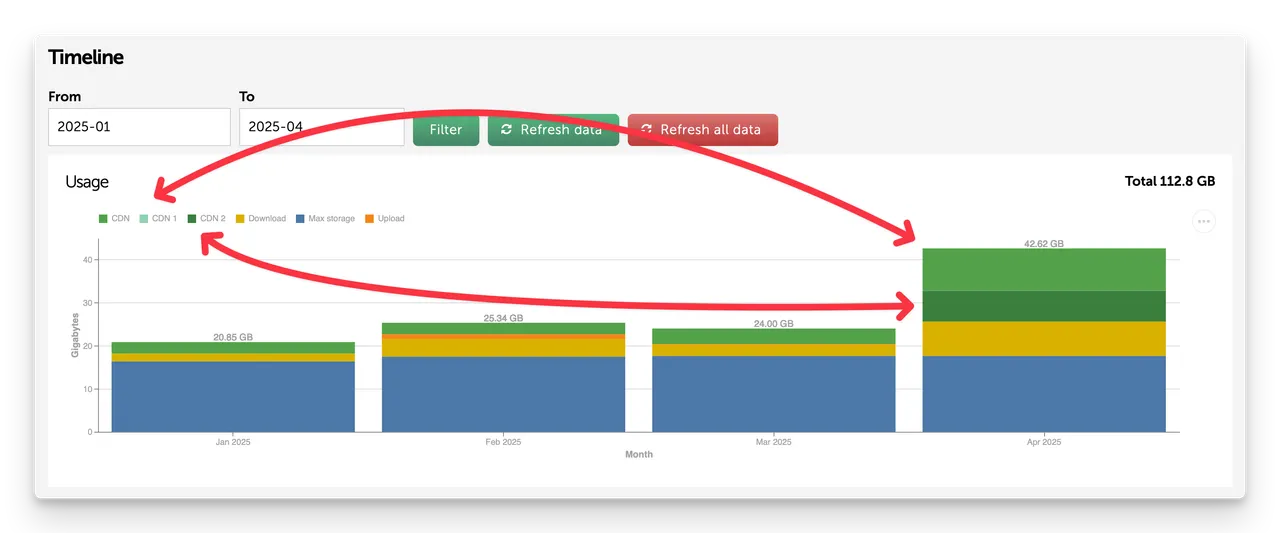
(Fig. Example Dashboard Timeline showing CDB usage.)
Please contact us if you have questions.
Q. How do I embed an image or video?
Admins can embed images and videos uploaded to your Brandkit account in other websites, emails, etc. Here's how...


