


New - Albums can now be automatically added to your Portal
Albums are a great way to create dynamic collections in Brandkit.
They are dynamic because Albums are essentially a Saved Search, and the Album is populated automatically when new Assets are added and approved that match the search query set in the Album. Typically a Tag (e.g. Dining)
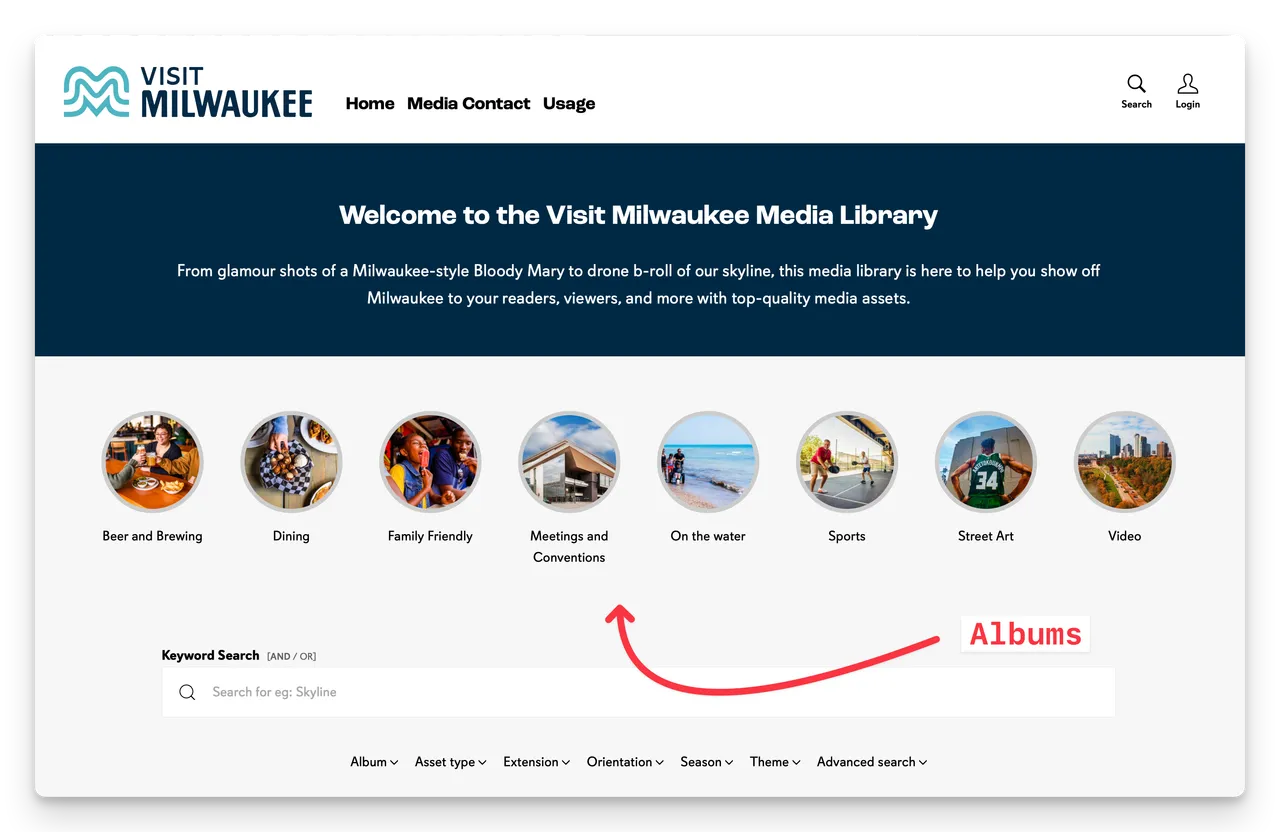
In the past when creating an Album and then approving it to appear in the Portal - the Album would not be shown in the Portal - until you edit the page section (in the CMS) and select the Album to appear.
To do that you need to be able to access the CMS feature, edit the Albums section and select the new Album. This is an inconvenience for many customers.
And in some cases - customers (on Free and Team Edition plans) do not have access to the CMS at all - and must ask Brandkit Support for help to set up the Albums for them. Not ideal.
Enable auto add to albums sections?
Now - there is a new setting in your settings (Settings > Albums) that can be enabled that automatically adds (and enables) any new approved albums to your Albums section(s).
Admins must have the Manage Account permission (Settings > User Roles) enabled (usually the Owner User Role) to access this setting.
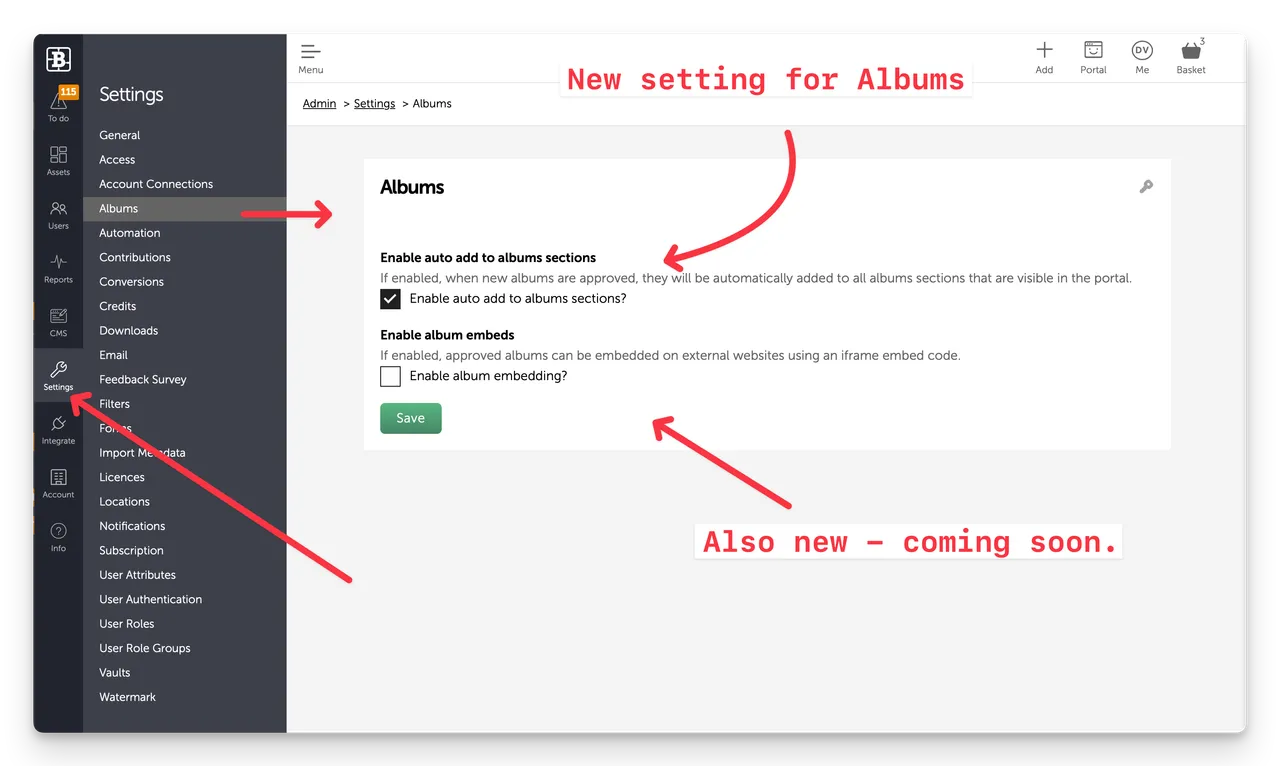
On by default for new accounts
For new customers (after 22 January 26) this option (Enable auto add to albums sections?) is enabled by default (all Editions).
Off by default for existing accounts
If you have an account setup before 22nd Jan 2026 - this new setting will be disabled by default.
If you are on a Free or Team edition plan, with no access to the CMS feature, we recommend you enable the feature in Settings > Albums. You can then control when Albums are shown on the home page via Assets > Albums configuration.
If you have the Manage Account permission, you can enable it - or ask Brandkit Support to do that for you.
Why would you disable this setting?
If you have multiple pages with Albums sections (many customers have sophisticated multi-page Portals - with explicit Album selections per page) - you typically want to explicitly select which Albums appear on a page.
If that is the case the new option should be disabled.
Happy branding :)
New - Albums can now be automatically added to your Portal
New approved Albums are now shown in your Brand Portal by default (provided the new default setting is enabled).


