


Update to Shop-able assets (aka CTA Links)
We've updated the CTA links (aka Shop-able Assets) features in Brandkit.
(Fig: New CTA button walkthrough)
Huh. What's a CTA Link?
Digital Assets in Brandkit are shop-able. This means that for each Asset you can include a link/URL —to say a booking page, ecommerce page, etc.
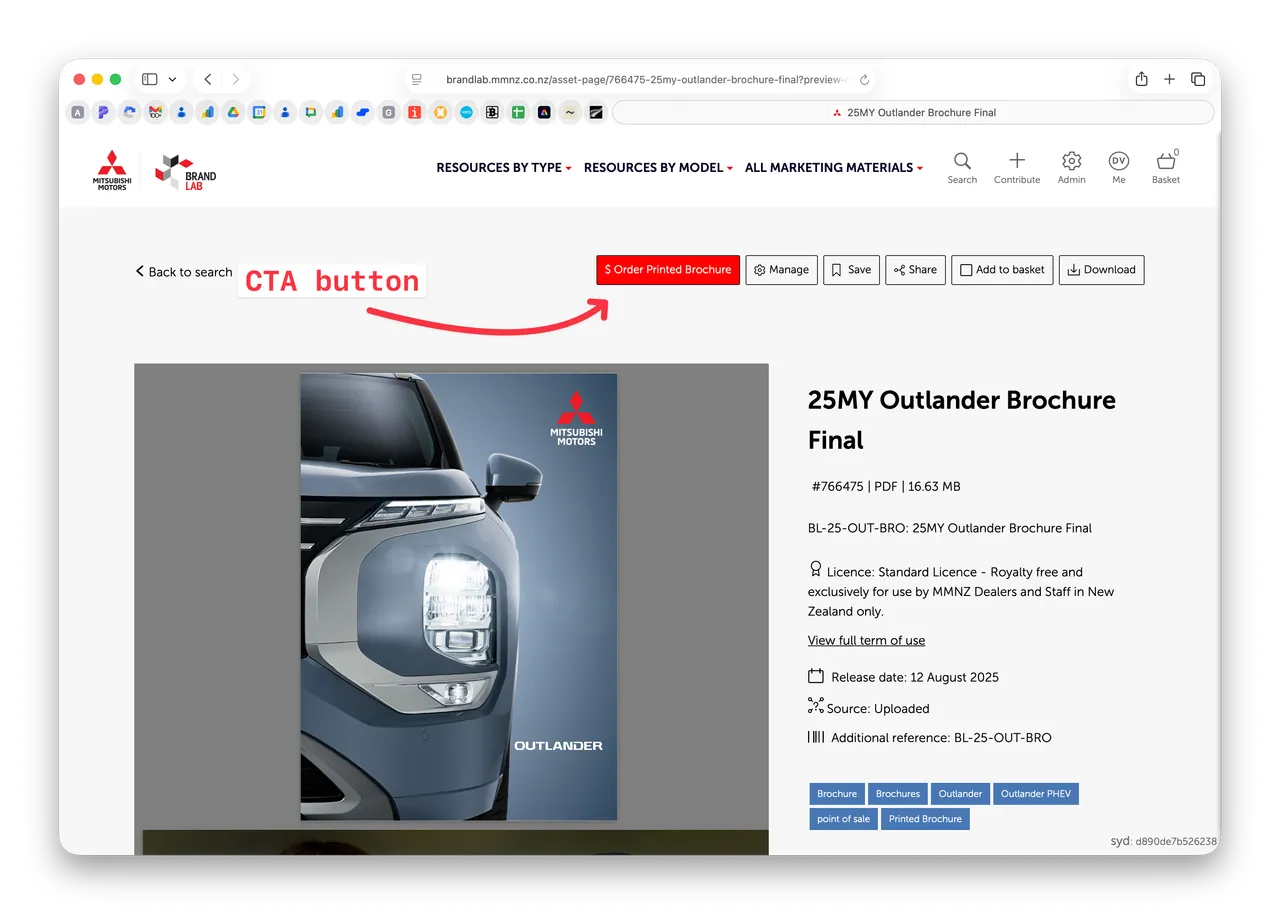
For example Mitsubishi Motors uses CTA's for ordering Physical Printed brochures from the digital version's (a PDF) Asset Page. Dealers can logoin, fond and download the digutal PDF version and/or click the CTA link to order the physical printed brochure.
What's new?
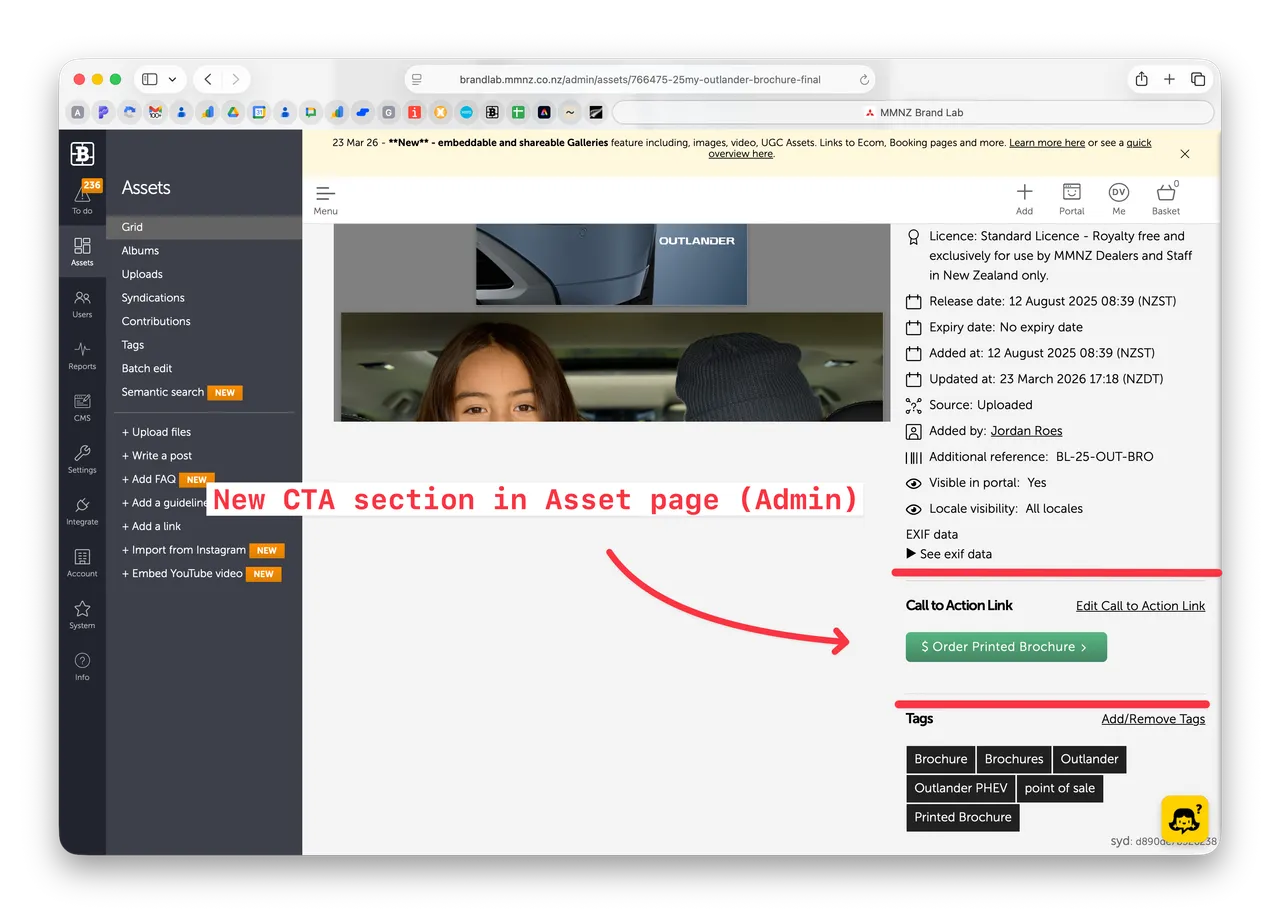
- CTA's (Call to Action links) now have their own separate form in the Asset Page in Admin (previously buried in the edit Asset metadata form).
-
CTA buttons are now more flexible with free-form text now available for CTA links (previously limited to a short list of options (Buy,See, Go,Order, etc). e.g. "$ Order Printed Brochure" - as shown above.
-
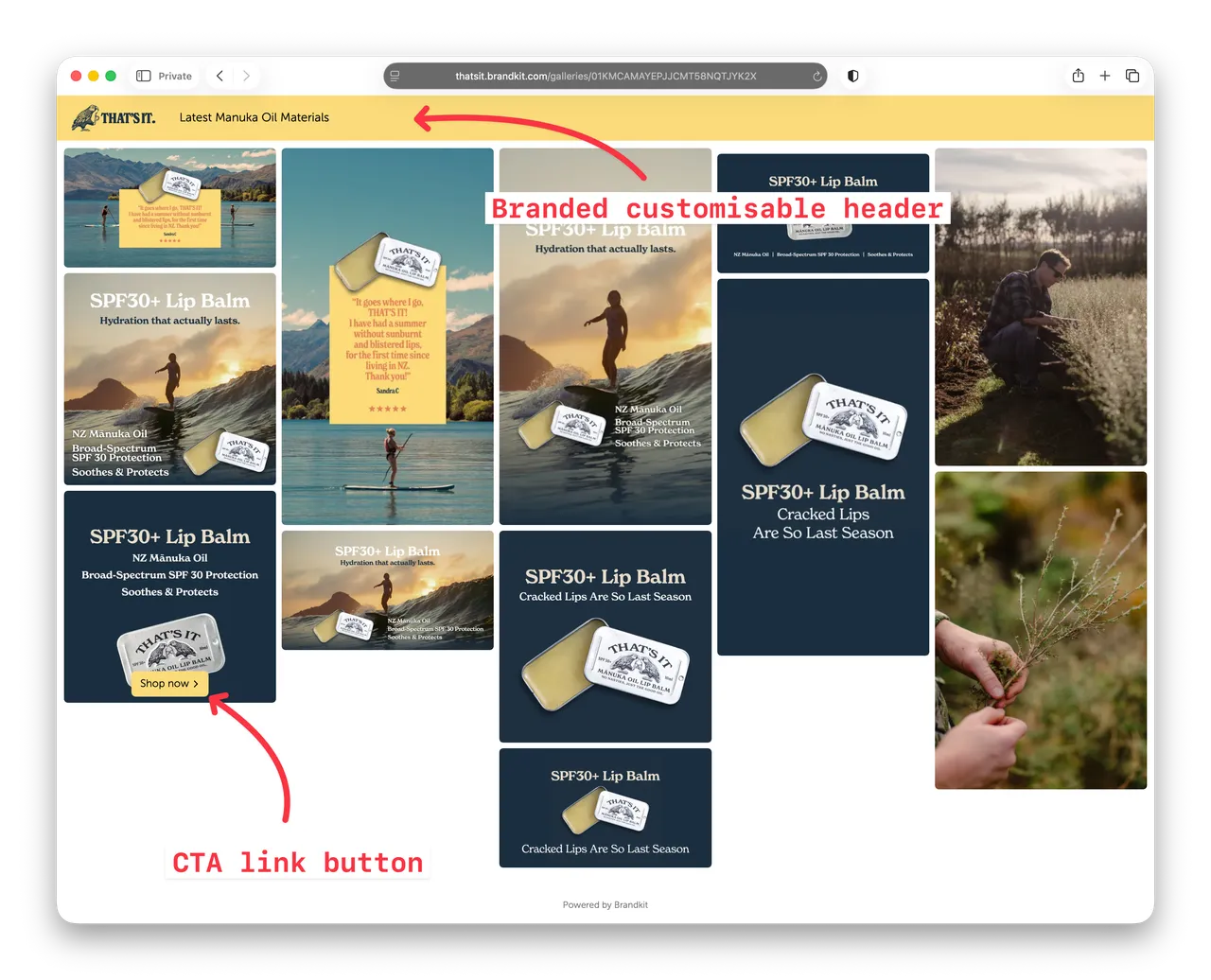
CTA buttons are also shown in Portal Asset Pages and Galleries(when enabled). e.g. "Shop now" - as shown below.
Happy branding :)
Update to Shop-able assets (CTA Links)
We’ve updated the CTA links (aka Shop-able Assets) feature in Brandkit. With more flexibility and a new editing form in Admin — CTA's are now easier to setup and nicer to use. Especially in combination with our new Galleries feature.


