How do I disable or skip a custom download form for specific User Roles?
If you have a custom download form (e.g. Intended Use Questions) configured in your account, you can enable specific User Roles to skip that requirement when downloading.
For example you might want this form to be completed for external partners, but staff can skip it.
To enable this you need to adjust your User Role settings and disable the Must complete download form Ability in the Role settings.
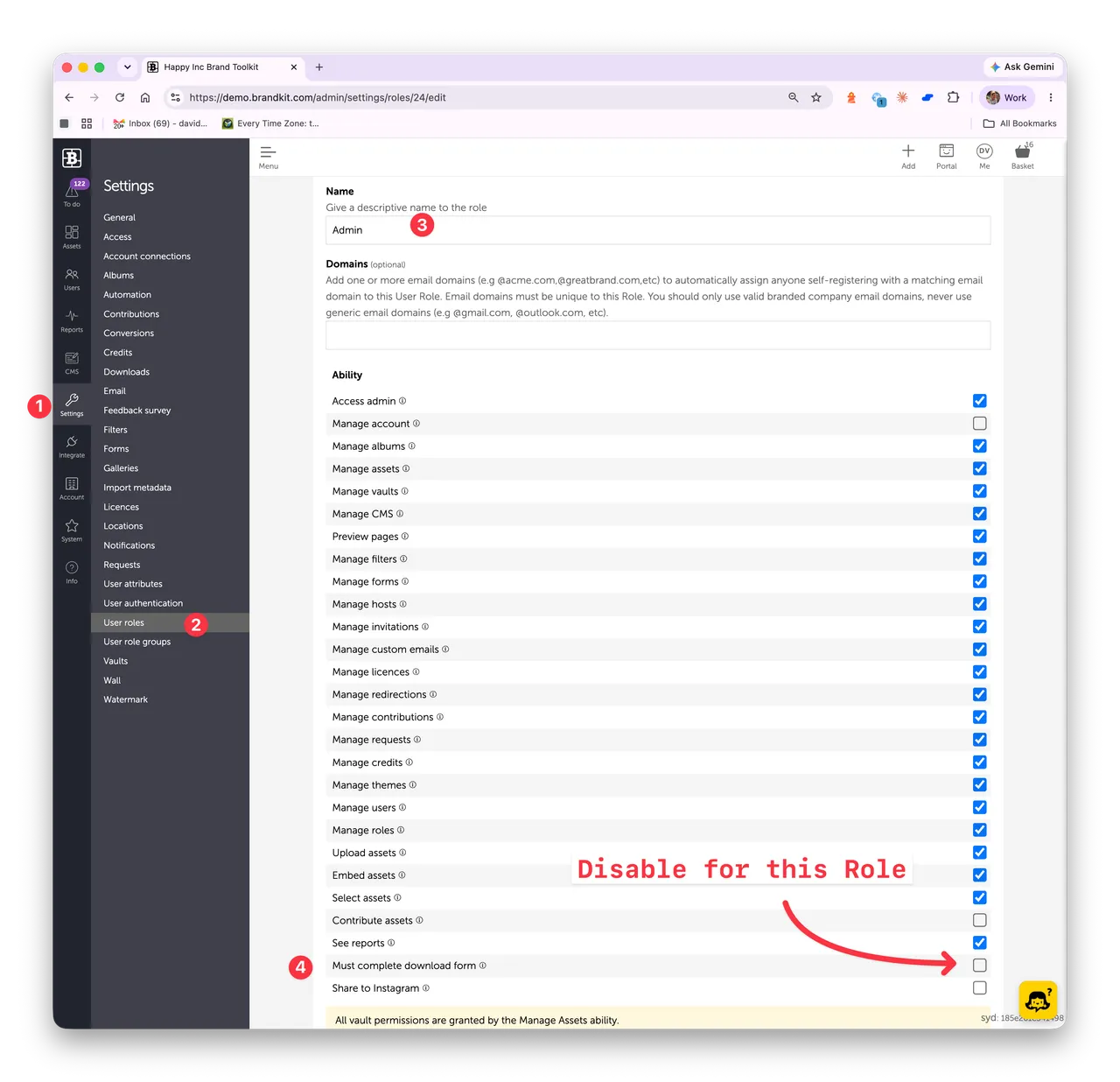
Navigate to Admin > Settings > User Roles > select a Role
User Role settings showing the “Must complete download form” checkbox
In Admin
Select Settings
Select User Roles
Select a Role (e.g. Admin)
Uncheck the Must complete download form - to disable / Check to enable
Save
Note that the Ability will only appear if you have created a custom Download Form (Settings > Forms) and enabled it (Settings > Downloads)
How do I disable or skip a custom download form for specific User Roles?
Instructions how to skip a custom download form such as an Intended Use form for specific User Roles in Brandkit.
Asset typefaqID867284Word count160 words
Licence
LicenceWorldwide Paid and UnpaidAvailable to anyone for royalty free use in paid and unpaid media worldwide, provided Brandkit benefits from such use, and Brandkit is credited.Expiry
No expiry date
Release dateAdded atUpdated at:Source:
Created in Brandkit
CreditBrandkitView full term of use