Are Knowledge Assets (Posts, FAQ's, digital Guidelines) in Brandkit downloadable?
Yes - Knowledge Assets (i.e. Posts, FAQs, Guidelines) are download-able.
Knowledge Assets are Assets created/written natively in Brandkit (as opposed to uploading a document file).
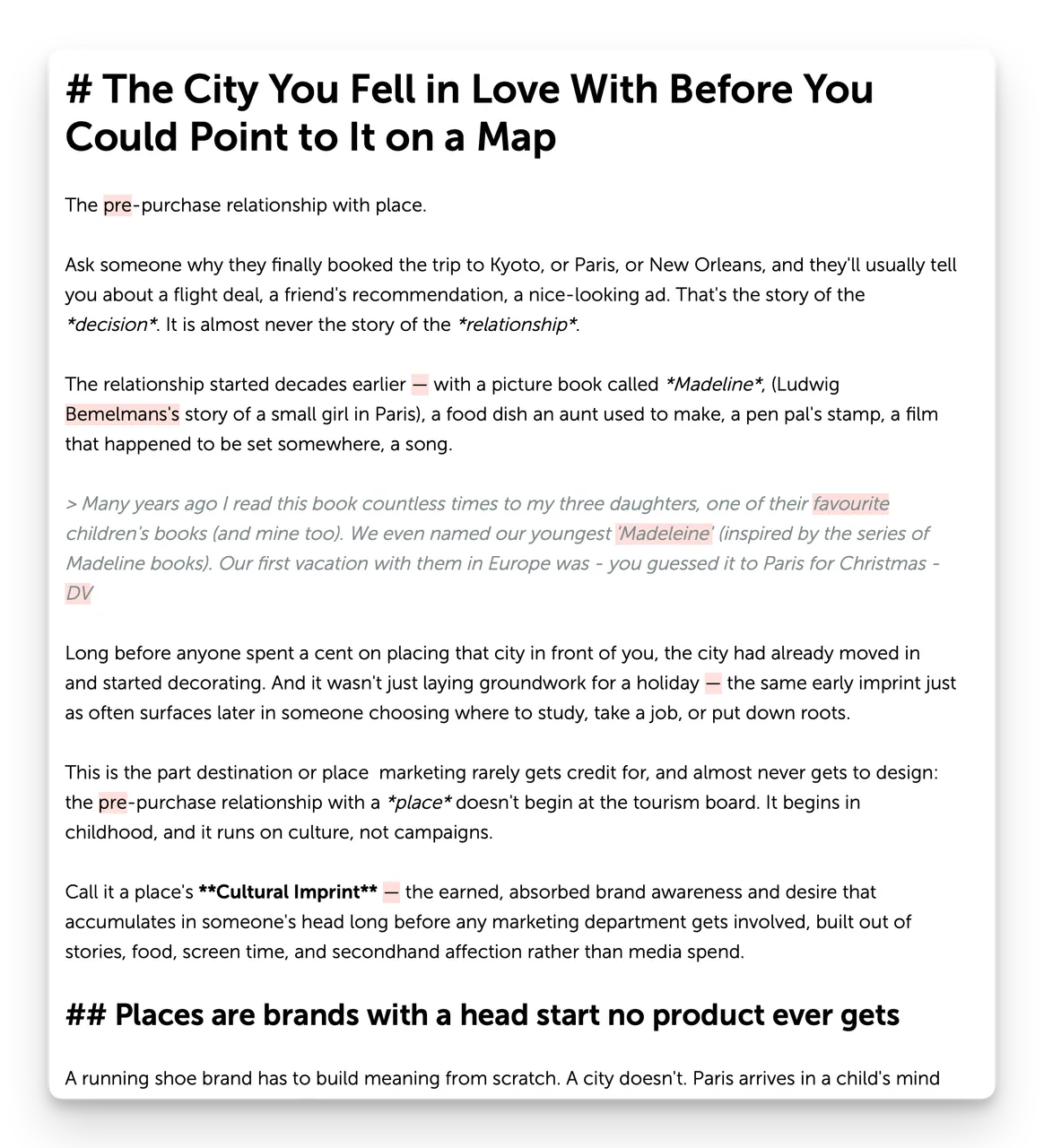
While we provide a WYSIWYG editing experience when you are writing, you are actually writing in the Markdown format. We then render your Markdown text in the Portal as HTML.
e.g. This FAQ article is written in Markdown
What is a Knowledge Asset?
A Knowledge Asset in Brandkit is text written natively in Brandkit as a Post, FAQ or Guideline. It is is plain text that can read by human users and crawled by (if publicly accessible) and fed (via RAG and MCP) to LLM's and AI Chatbots as knowledge to influence AI answers.
In addition file based Asset metadata is also served in a plain text format for SEO (e.g. sitemap.xml) and for AI (e.g. llms.md). Effectively making Asset Metadata a Knowledge Asset also.
What is Markdown?
Markdown is a lightweight way to format text using plain symbols instead of complicated menus or code. You write things like bold or # Heading in a normal text file, and it converts into styled text — bold, italics, lists, links, and more — when displayed. It was created to make writing for the web easier, without needing to know HTML.
It's popular because it's simple, fast to write, and works almost everywhere — in blogs, GitHub, chat apps, and note-taking tools. Since it's just plain text, Markdown files are easy to read even before they're formatted, and they stay readable no matter what software opens them.
Downloads
Most Knowledge Assets are read in place in each brand portal's Blog, FAQs section or Brand Guidelines, or served out via API's and/or the Common Crawl to AI LLMs, Chatbots etc —as a brand knowledge,
But sometimes users may want to download the Knowledge Asset to reuse in other systems, or upload as static knowledge to AI assistants, etc,
All Knowledge Assets can be downloaded alongside file based Assets. When downloaded, Knowledge Assets are downloaded as Markdown (.md file extension) files by default.
Optionally you can configure your account to download as HTML files instead if you prefer that format.
Navigate to Admin > Settings > Downloads to configure.
Please contact Brandkit support is you have any questions or concerns.
Are Knowledge Assets (Posts, FAQ's, digital Guidelines) in Brandkit downloadable?
Knowledge Assets (Posts, FAQs, Guidelines) in Brandkit are downloadable. They’re authored in Markdown and render as HTML in the portal. Downloads save as .md by default, with an option to export as HTML via Admin > Settings > Downloads.