


OM5: Admin > Reports
The Reports section gives you visibility into how your Brandkit account is being used — content performance, user activity, downloads, searches, and more.
Navigate to: Admin > Reports
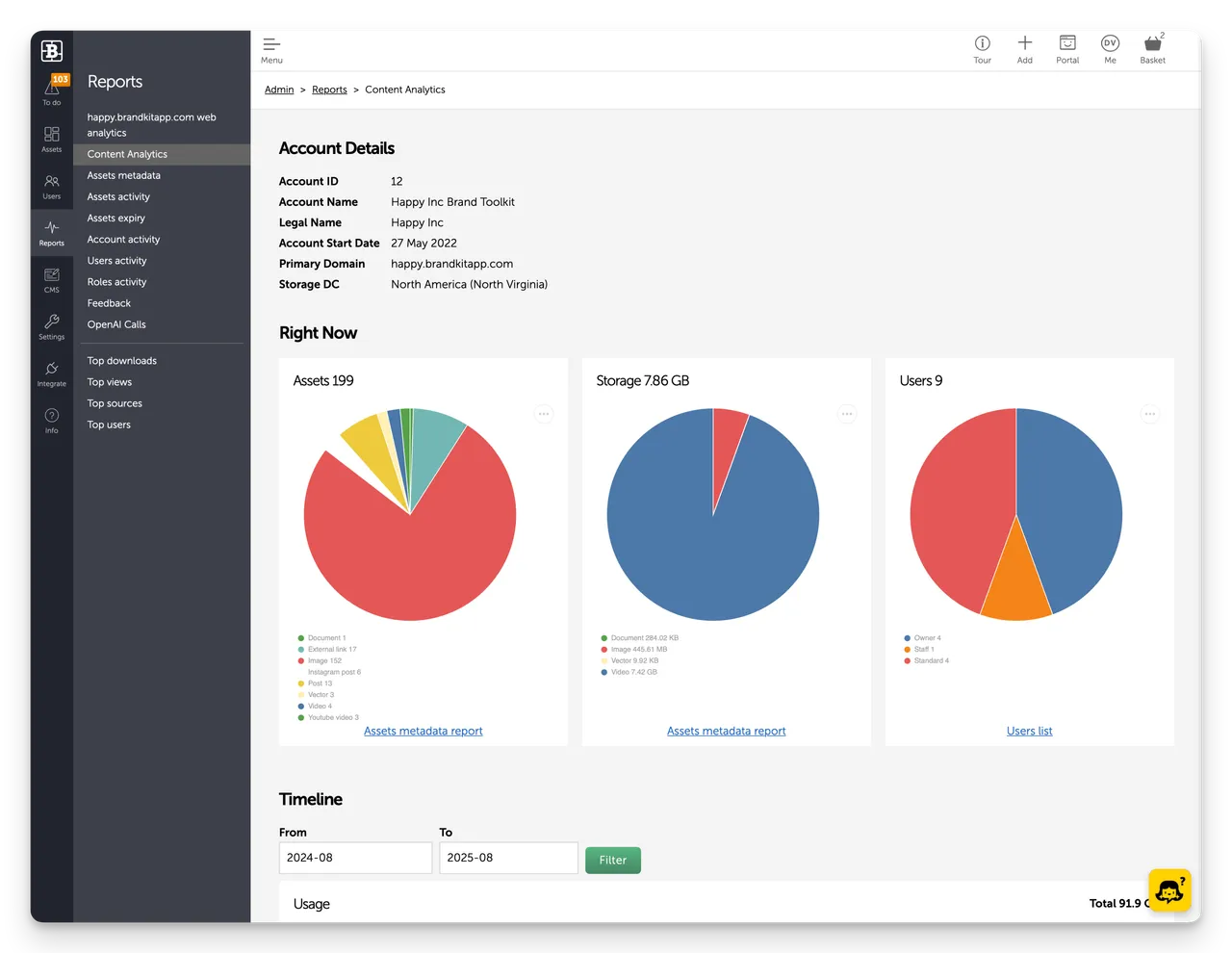
The default landing page is the Content Analytics dashboard.
What's in this section
- OM5.1: Content analytics | Account dashboard — storage, users, and usage timeline
- OM5.2: Assets reports Metadata, activity, and expiry reports
- OM5.3: Activity reports, Account, user, and roles activity
- OM5.4: Downloads & feedback, Download report and user feedback
- OM5.5: OpenAI reports, AI token usage reporting
- OM5.6: Top lists, Top downloads, views, sources, users, and searches
- OM5.7: Web analytics, Plausible web analytics for your portal
General notes
- Most reports can be filtered by date range and downloaded as a CSV.
- The Account activity report is on-screen only — no CSV download.
- Reports reflect activity across all portals on your account.
OM5: Admin > Reports
Reports is Brandkit’s reporting hub, giving visibility into content performance, user activity, downloads, searches, and more across all portals. The default page is the Content Analytics dashboard, and the section includes seven reports: Content analytics, Assets reports, Activity reports, Downloads & feedback, OpenAI reports, Top lists, and Web analytics (Plausible). Most reports can be filtered by date range and downloaded as CSV (the Account activity report is on-screen only).


