What is the new 'Tidy tags' button used for?
There is a new button in town for Assets in the Admin area.
It's the Tidy tag button found in the Tagging panel for an Asset.
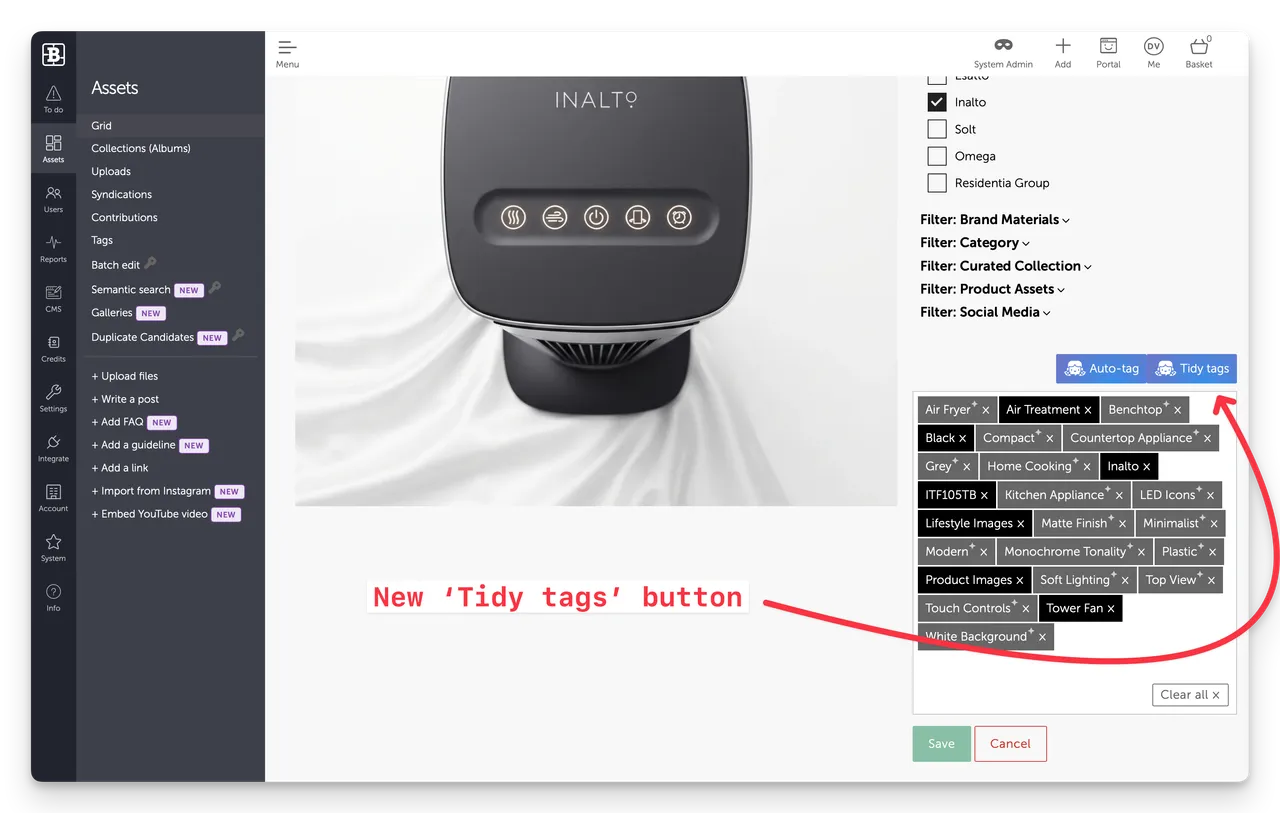
What does the button do?
Essentially it does a tidy-up of already generated tags. This is useful when for example the prompt in your Automation settings is not clear, or causes the AI to generate weird tag combinations (e.g. a list of multiple tags as a single tag) .
- It doe not generate any new tags - that is we don't resubmit the image/file to machine vision - it's just reviewing the tags themselves.
- AI Tagging must be turned on in your Automation settings
Why it's needed
AI is not perfect, nor are the prompts that we enter in our Automation settings. The AI can make mistakes.
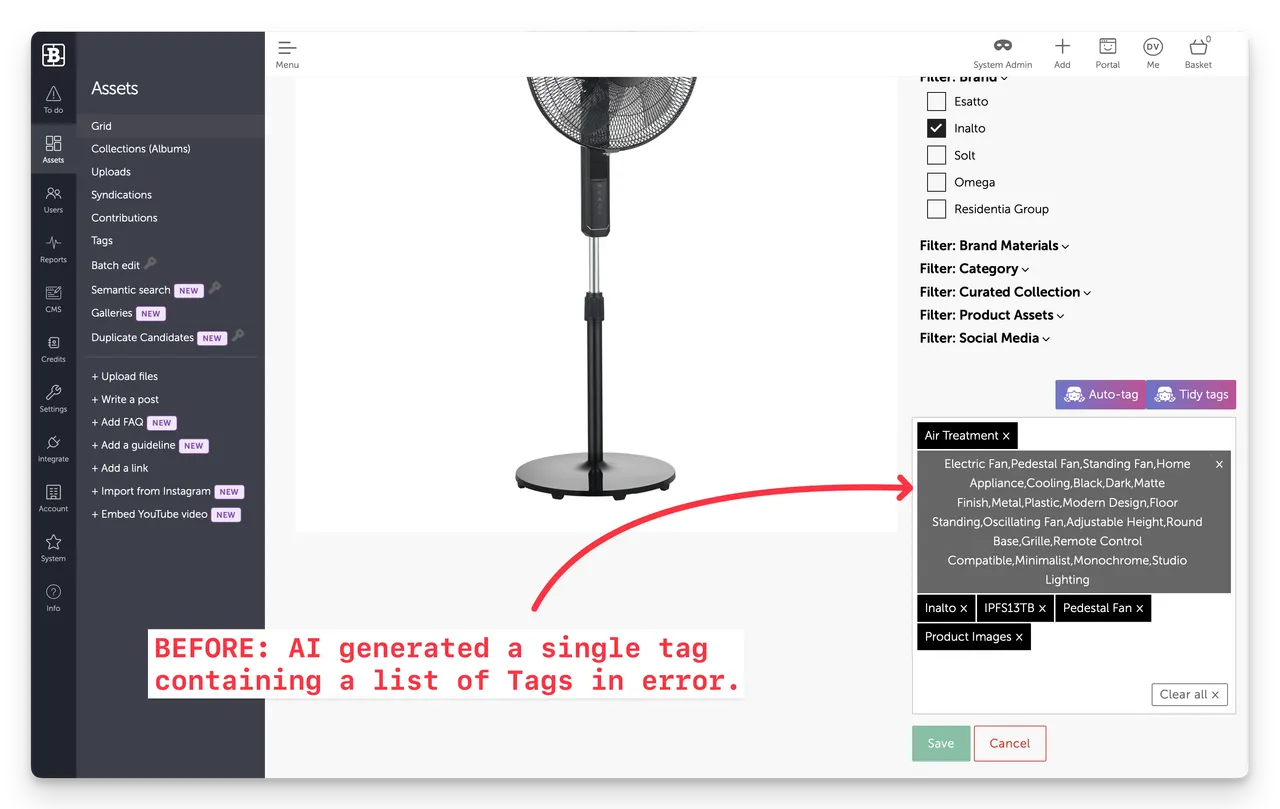
So despite best intentions, sometimes we just get Asset tags that we don't want. For example a customer who created a updated prompt that generated a single tag that included a comma separated list of keywords - when this should clearly have been several separate tags.
The new button is just a convenient way to fix those Assets, without having to do it manually.
Example
Here's an Asset where the AI incorrectly added a single tag containing a list of tags.
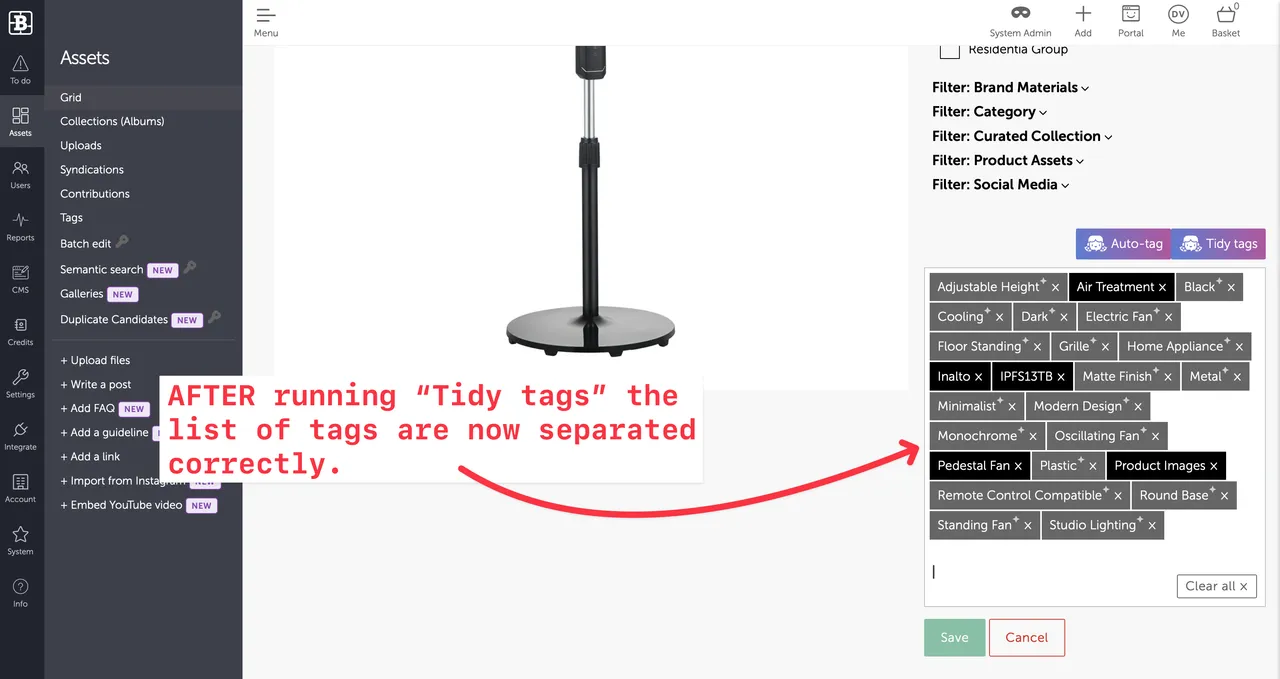
and here's the same Asset after running the Tidy tags function (by clicking the Tidy tags button).
Enjoy :)
What is the 'Tidy tags' button used for?
The Tidy tags button cleans up existing AI-generated asset tags, splitting incorrectly combined tag lists into separate tags. It doesn’t generate new tags and requires AI Tagging to be enabled in Automation settings.