


OM3.3: Admin > Assets > Uploads
Overview
The Uploads page display a log of every upload to your Brandkit — who uploaded it, and when. Use it to monitor uploads, or to select the Assets from past uploads.
Top Tip: You can select past uploads for additional batch processing via the basket.
The Uploads log
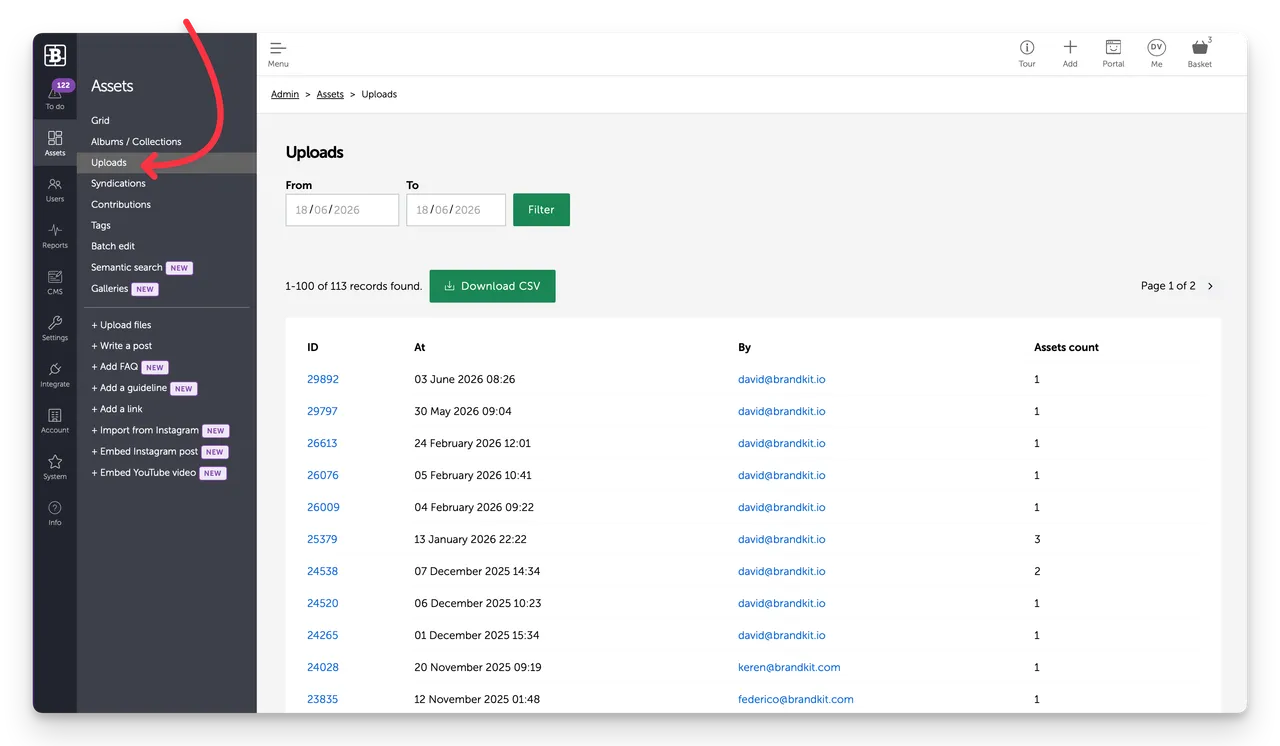
The uploads page shows a log of uploads over time. This view is paginated, showing 100 rows per page.
Each row shows:
- Upload ID (per upload of one or multipe files) - links to the an Admin in view of the Upload nwhich can be used to select Assets from the upload.
- Date of upload
- Users email address - links to the user's profile page
- Filecount
In addition you can:
- Filter by date range to narrow the list.
- Download a CSV file of the Upload history for further analysis.
Upload Details
When you click the Upload ID on any row in the Uploads Log, you will open the Upload detail view.
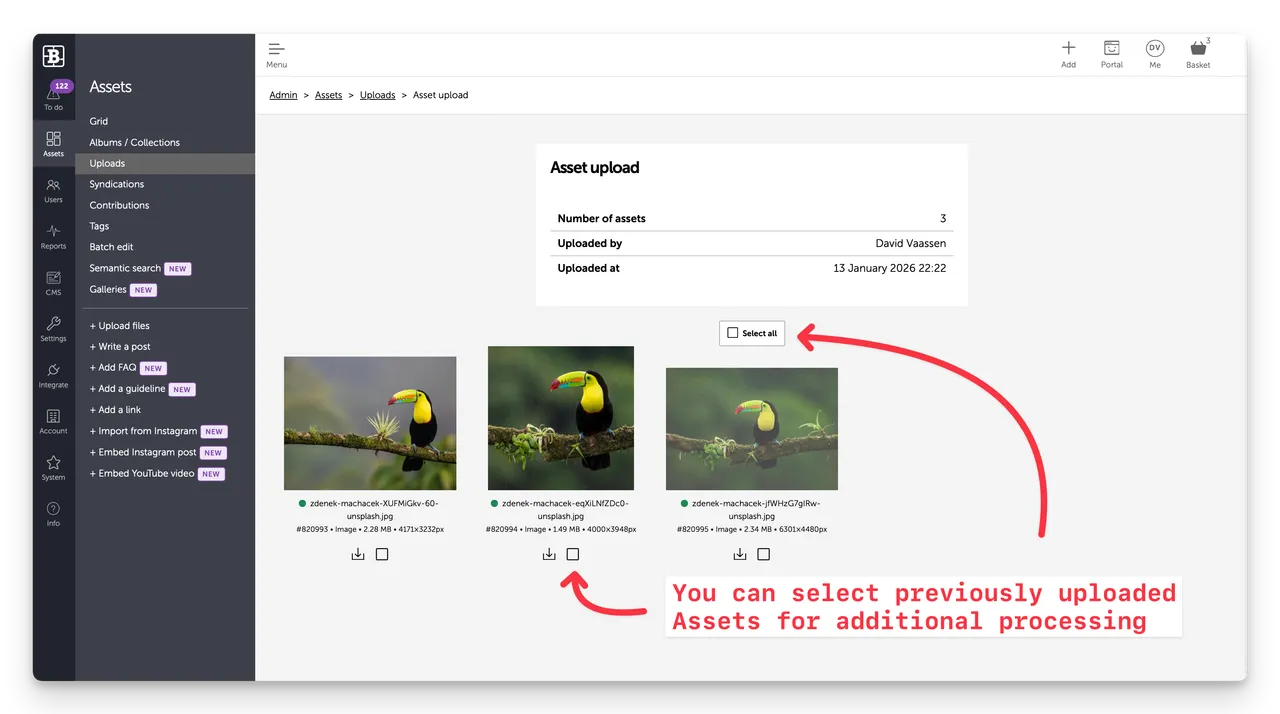
This display a summary of the upload logo details and a grid of the Assets uploaded.
From here you can select one, multiple or all Assets in the upload. This adds them to your Basket where you can batch edit or tag those selected Assets.
Top-tip: You can go back in time to previous uploads, select Assets and batch edit/tag them. Very handy.
Uploading new files
There are two ways to add files to the library:
-
From the upper right navbar select the + Add button —a file picker opens. Select one or more files and confirm.
-
From the Asssets sub-nav, select the + Upload file button —a file picker opens. Select one or more files and confirm.
Related settings
To control who can upload go to Admin > Settings > User roles.
OM3.3: Admin > Assets > Uploads
This article describes the Uploads page accessed from Admin > Assets > Uploads


