Can I add my Vimeo videos to Brandkit
Yes - you can add your Links to your Vimeo videos stored and hosted in Vimeo —using Brandkit's Links feature.
(Fig: Vimeo logo)
Who is Vimeo?
Vimeo is a video hosting and sharing platform founded in 2004, known for its focus on high-quality, professional, and creative video content. Unlike YouTube, it caters more to filmmakers, artists, and businesses seeking a premium, ad-free experience with better video compression and a cleaner aesthetic. It offers tools for video management, customizable players, privacy controls, and monetization, making it popular among creative professionals, agencies, and enterprises for showcasing portfolios, hosting marketing content, and distributing video at scale.
Why would you want to do that?
- Save space in Brandkit
- You already have a heap of Videos uploaded in Vimeo
- You want better organisation and search-ability for your Vimeo Videos
- You want better control of who should get access to certain videos
- You want to centralize search across all your brand resources in Brandkit
How to add a Vimeo video to Brandkit.
- Copy the URL for a publicly viewable video in Vimeo
- In Brandkit Admin click the + Add button in the top right Nav
- Select the Link option
- Paste in the Vimeo URL
- Brandkit will extract a thumbnail image and description automatically from Vimeo because Vimeo support OpenGraph tags. If this fails you can try again or also manually create these.
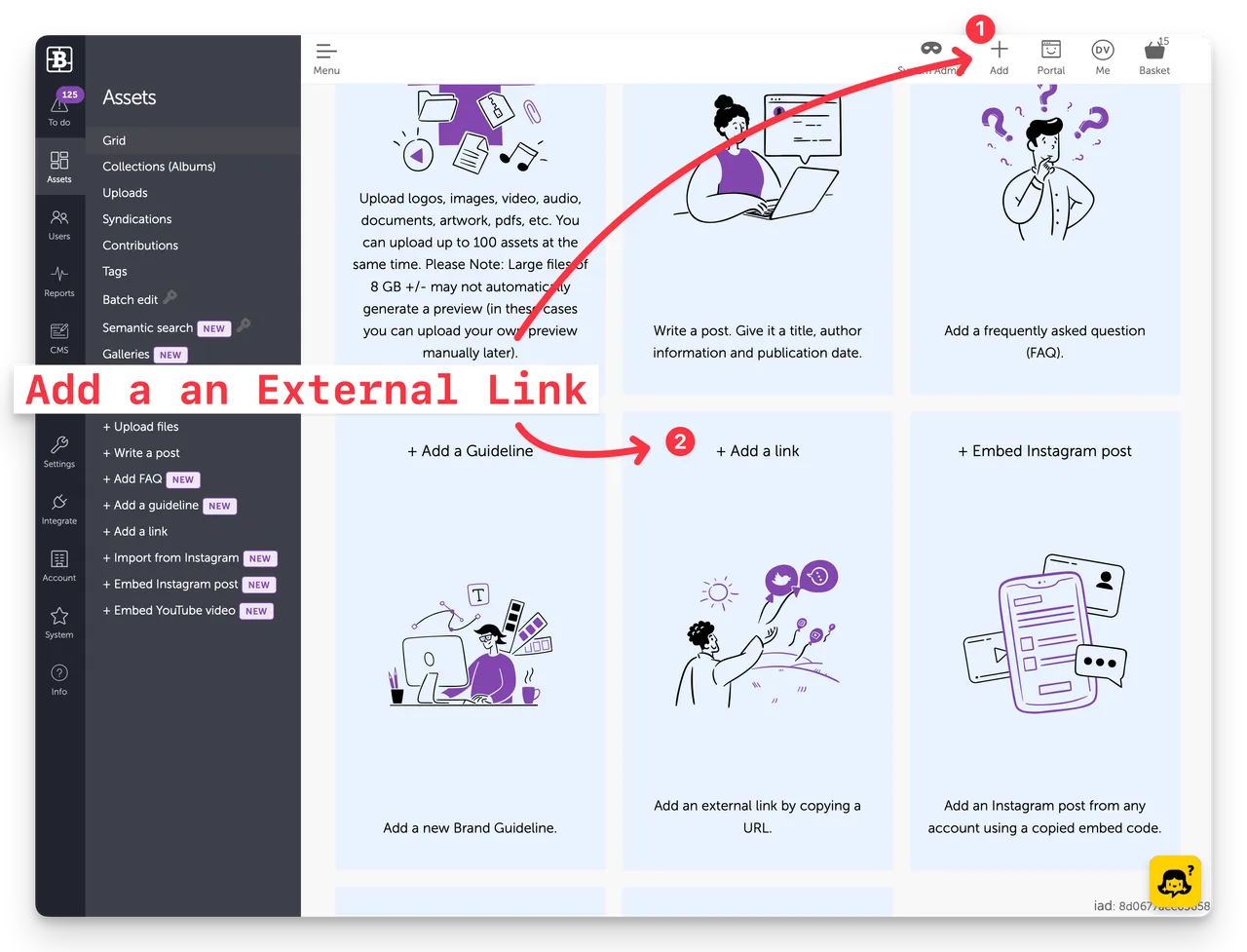
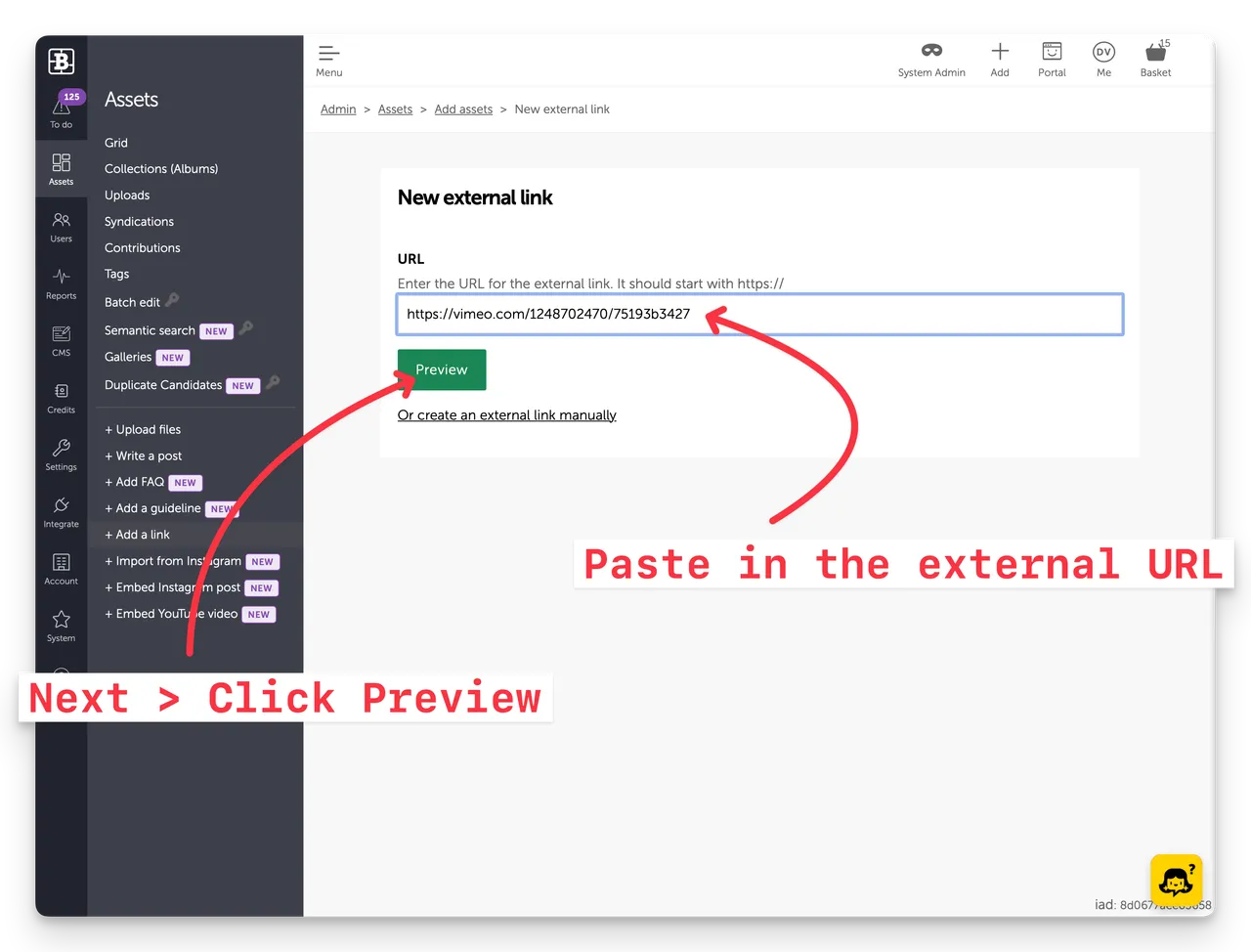
The Vimeo video will then appear as an External Link Asset in your Admin Asset Grid like any other Asset. This acts in effect as a searchable visual short-cut to the external Vimeo URL.
In Admin you can Tag, move to a specific Vault to control access, and edit Metadata, then Approve and publish, to make it Search-able, and fit in with your account taxonomy and navigation in your Brand Portal.
In the Portal users search for and click the Link Asset (aka Visual Shortcut) to link out to the Vimeo URL in an new browser tab.
Enjoy :)
Can I add my Vimeo videos to Brandkit
Learn how to add publicly viewable Vimeo videos to Brandkit as links. Brandkit can automatically import each video’s thumbnail and description, making Vimeo content easier to organise, search, and manage access to—without using Brandkit storage.