Brandkit Platform Tour: Knowledge Library
Knowledge Library & Knowledge Assets
Brand intelligence for humans and AI.
Your Brandkit Knowledge Library isn't a separate content store — it's your text-based Knowledge Assets (Guidelines, FAQs, Posts, etc) saved in your Brandkit DAM, visible in your Brand Portal, AND automatically repackaged into AI-consumable formats.
So the same content that appears as a human-readable Guidelines, Blog posts, or FAQs in your Brand Portal also become a machine-readable knowledge source for LLMs, chatbots, and RAG — automatically, with no duplicate work.
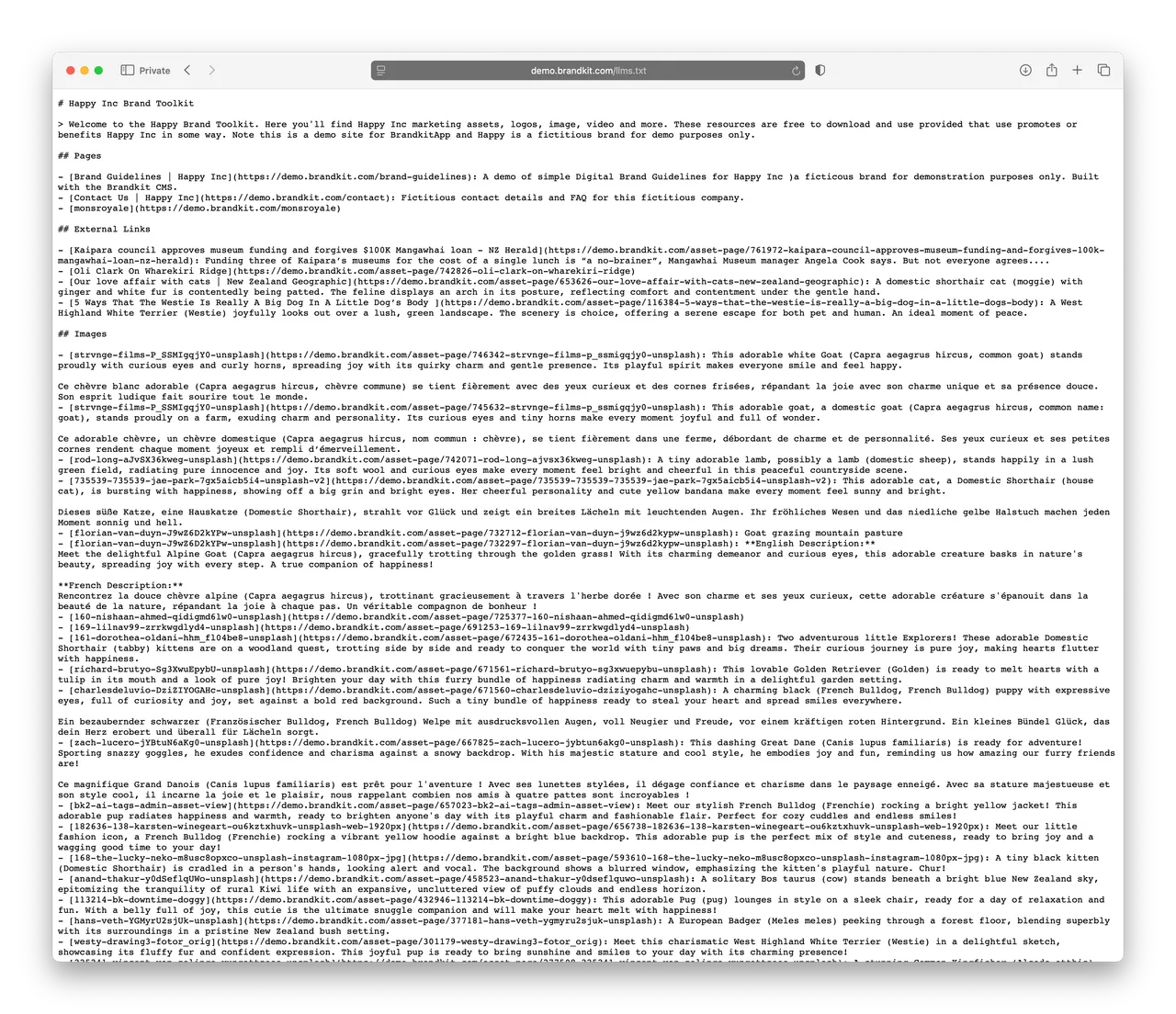
(Fig: Example of an auto-generated LLMS.txt page)
How to add your knowledge to your Brandkit
Knowledge Assets in Brandkit are written in Brandkit, rather than uploaded files.
To get started, just add/write Knowledge Assets by selecting Posts, FAQs or Guidelines —in the Add assets page.

(Fig: Screenshot of the Create page in Brandkit with the FAQ option highlighted)
- Upload your media files and digital assets such as images and video to the Asset Library
- Write Blogs Posts, Press Releases, Brand Guidelines, and FAQs natively in the Post editor for the Knowledge Library
- Add Links to external URL and Earned Media
- Embed Youtube Video and Instagram Posts
- Create custom web pages with the built-in Content Management Software (aka CMS software)
Brandkit will then auto generate a sitemap.xml for Search Engines, and LLMS.txt for AI LLM consumption, and LLMS.html to act as a knowledge source for AI Chatbots and Agents - automatically in the background.
For example: Here's a link to the auto generated LLMS.txt for this (the Brandkit.com) website.
Learn more about Knowledge Assets
Additional reading about Knowledge Assets/Knowledge Libraries: